
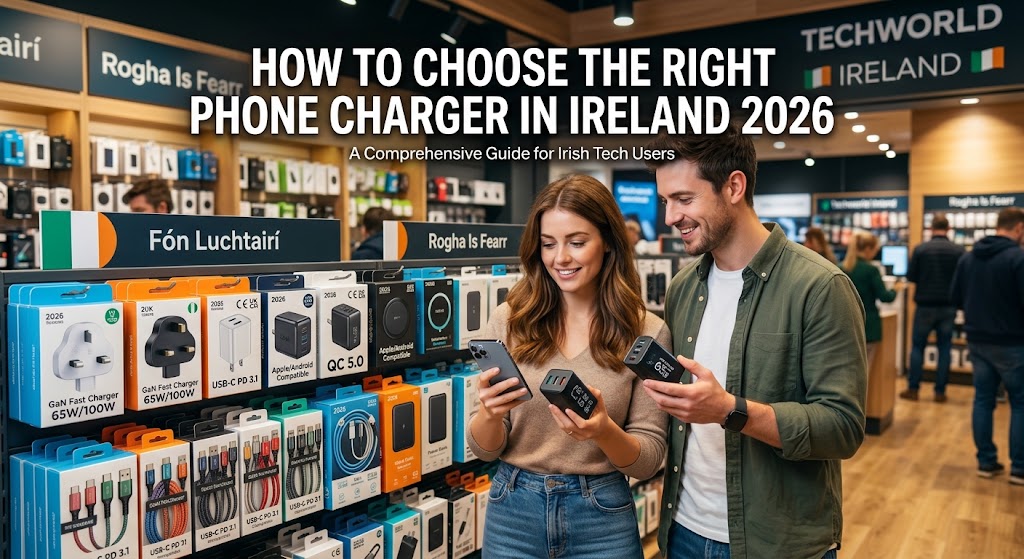
How to Choose the Right Phone Charger: 2026 Guide
Choosing the right phone charger in 2026 is no longer as simple as picking the first USB cable and wall adapter you find. Modern smartphones use different charging standards, connectors and power requirements, while USB-C has become increasingly common across phones, tablets, earbuds and laptops.
A charger can also look powerful on the box without necessarily being the right choice for your phone. The charger, cable and smartphone need to work together correctly to deliver the charging performance your device supports.
This matters whether you are buying a charger for a new smartphone, replacing an old adapter or choosing accessories for a refurbished device. For example, the charging requirements of an iPhone 16 Pro, Samsung S25 Ultra or Galaxy A35 5G can differ, so checking the exact model before buying is always sensible.
In this Ireland-focused 2026 guide, we explain how to choose the right phone charger, what wattage means, how USB-C and USB Power Delivery work, why charging cables matter, what iPhone and Samsung users should check, and how to avoid common charger-buying mistakes.
Quick Answer: How Do You Choose the Right Phone Charger?
The right phone charger should match your smartphone's charging port, supported charging technology, charging speed and power requirements.
For most modern smartphones, a good-quality USB-C charger with appropriate power output and compatible charging technology is a practical starting point. However, the highest wattage is not automatically the best option.
Before buying a charger, check:
-
Your exact phone model
-
The phone's charging port
-
Supported charging speed
-
Required or recommended charger output
-
USB-C or Lightning compatibility
-
USB Power Delivery support where applicable
-
Cable compatibility
-
Cable power rating
-
Number of ports you need
-
Charger quality and safety information
-
Compatibility with your other devices
USB-IF explains that USB Power Delivery allows compatible devices and power sources to negotiate power requirements, while USB-C cables can have different capabilities.
The key point is simple: choose a charger for your device rather than choosing your device's charger based only on the biggest wattage number.
Key Takeaways
-
Check your exact smartphone model before buying a charger.
-
USB-C is widely used across modern phones and other electronics.
-
USB-C describes the connector, not one universal charging speed.
-
USB Power Delivery allows compatible devices and chargers to negotiate power.
-
A higher-wattage charger does not automatically make every phone charge faster.
-
Your charging cable also affects the overall charging setup.
-
iPhone and Samsung Galaxy phones can have different charging requirements.
-
Multi-port chargers can be useful if you charge several devices.
-
Avoid damaged, poorly specified or questionable charging accessories.
-
A reliable charger can be useful for both new and refurbished smartphones.
-
Check manufacturer specifications when you are unsure about compatibility.
-
Consider your complete setup rather than buying an adapter in isolation.
How We Assess Phone Chargers
A charger should be evaluated on more than advertised wattage. At fonez4u2, the practical considerations for choosing charging accessories include compatibility, charging technology, cable requirements, portability and everyday usability.
| Factor | Why It Matters |
|---|---|
| Compatibility | Ensures the charger is suitable for the exact device |
| Power output | Determines the maximum power the charger can provide |
| Charging standard | Helps determine whether fast charging is supported |
| Port type | Determines which cable connection is required |
| Cable capability | The cable must support the intended charging setup |
| Build quality | Important for everyday reliability and durability |
| Safety features | Important when selecting mains-powered accessories |
| Number of ports | Useful when charging several devices |
| Size | Matters for travel and portability |
| Certification | Can provide additional confidence in accessory quality |
A good charger should therefore be viewed as part of a complete charging system.
Why Is Choosing the Right Phone Charger Important?

1. Not Every Charger Provides the Same Charging Performance
Two chargers can have similar-looking USB ports while offering very different power outputs and charging technologies.
One may provide basic charging, while another may support USB Power Delivery and higher power levels for compatible devices.
This is why simply checking whether a connector physically fits is not enough.
2. Your Phone Controls How Much Power It Uses
A charger may be capable of providing more power than your smartphone requires, but that does not mean the phone automatically receives the charger's maximum output.
USB Power Delivery is designed to allow compatible devices to request appropriate power levels.
So, buying a 100W charger for a phone that supports substantially less power does not automatically turn that phone into a 100W charging device.
3. The Cable Is Also Important
The charger is only one part of the charging chain.
The phone, adapter and cable must all be compatible with the charging setup. USB-IF currently distinguishes USB-C cable power capabilities, including 60W and 240W markings for compliant USB-C-to-USB-C cables.
4. The Wrong Accessory Can Create Unnecessary Problems
Poorly made or damaged charging accessories can cause unreliable charging and may create safety concerns.
For this reason, a reputable charger with clearly stated specifications is generally preferable to an unknown product selected solely because it is cheap.
If you are building a complete accessory setup, our guide to Best Phone Accessories in Ireland 2026: Essential Buying Guide covers other useful smartphone accessories alongside charging equipment.
What Does Charger Wattage Mean?

1. Wattage Measures Electrical Power
Watts indicate the amount of power a charger can provide under its supported conditions.
For example, a charger labelled 25W can provide up to 25 watts when the connected equipment and charging conditions allow it.
2. More Watts Does Not Always Mean Faster Charging
A higher-wattage charger can have greater maximum output, but your smartphone still has its own charging limits.
The phone and charger need to support a compatible charging mode for that extra capacity to make a practical difference.
3. Higher Wattage Can Be Useful for Multiple Devices
A higher-output charger becomes more useful when you also charge devices such as tablets or compatible laptops.
USB Power Delivery is designed to support a broad range of power requirements, including lower-power devices and higher-power applications.
4. Match the Charger to Your Actual Needs
If you only charge one smartphone overnight, you may not need a very high-output charger.
If you charge a phone, tablet, earbuds and laptop, however, a more capable charger may make more sense.
What Is USB-C and Why Does It Matter?

1. USB-C Is a Connector Standard
USB-C refers to the connector and associated specification, not one fixed charging speed.
USB-IF describes USB Type-C as a connector ecosystem designed to support scalable power and performance.
2. USB-C Is Common Across Modern Devices
Many current smartphones, tablets, headphones and laptops use USB-C.
This makes USB-C particularly convenient for households with several modern electronic devices.
3. USB-C Does Not Automatically Mean Fast Charging
A USB-C port does not guarantee a specific charging speed.
You still need to check:
-
Charger output
-
Phone compatibility
-
Cable capability
-
Supported charging protocol
4. USB-C Can Reduce Cable Clutter
If several of your devices use USB-C, one suitable charger and several compatible USB-C cables can simplify your charging setup.
USB-IF's current specifications continue to distinguish cable capabilities, so checking the cable rating remains important.
What Is USB Power Delivery?

1. USB PD Allows Devices to Negotiate Power
USB Power Delivery, commonly called USB PD, is a charging technology that allows compatible power sources and devices to communicate about the power being requested.
USB-IF describes USB PD as providing more flexible power delivery and enabling devices to take the power they require.
2. USB PD Supports Different Power Levels
USB PD is not limited to one fixed charging level. The specification supports a wide range of applications, from small accessories through to higher-power devices.
3. Your Phone Does Not Automatically Take the Maximum
A high-output USB PD charger does not mean a smartphone will automatically consume its maximum advertised charger output.
The device determines what it can use within the supported charging system.
4. Check Both Charger and Cable
A compatible charger paired with an unsuitable cable may not deliver the charging performance you expect.
This is one reason why the charger and cable should always be considered together.
How Do You Choose the Right Charger for an iPhone?

1. Check the Exact iPhone Model
Start by identifying your iPhone.
Apple's current iPhone lineup uses USB-C on recent models, including the iPhone 15 series and later. Apple also provides USB-C connection guidance for iPhone models such as the iPhone 15, iPhone 16 and iPhone 17 families.
For example, fonez4u2 currently lists products including:
-
iPhone 13 Pro
-
iPhone 14
-
iPhone 14 Pro Max
-
iPhone 15 Pro
-
iPhone 16
-
iPhone 16 Pro
-
iPhone 16 Pro Max
-
iPhone 17
-
iPhone 17 Air
-
iPhone 17 Pro
-
iPhone 17 Pro Max
Always check the exact model before choosing the cable and adapter.
2. Modern USB-C iPhones Need the Correct Cable
For an iPhone with USB-C, a USB-C-to-USB-C cable can connect the phone directly to a compatible USB-C power adapter.
Apple recommends compliant USB-C accessories and notes that non-compliant USB-C accessories may not work as expected.
3. Older Lightning iPhones Need a Different Cable
Older iPhone models use Lightning.
If you own an older iPhone, make sure the cable has the correct Lightning connector and that the accessory is suitable for the device.
4. Think About Your Upgrade Path
If you are deciding whether to continue with an older iPhone or move to a newer refurbished model, our Older iPhone vs Refurbished Newer iPhone: Which Is Better? guide can help you compare the broader ownership considerations.
How Do You Choose the Right Charger for Samsung Galaxy?

1. Check the Exact Galaxy Model
Samsung has a broad smartphone range, and charging capabilities differ between models.
fonez4u2 currently lists Galaxy models including:
-
Samsung S21
-
Samsung S22
-
Samsung S24
-
Samsung S24 Plus
-
Samsung S24 FE
-
Samsung S25
-
Samsung S25 Ultra
-
Samsung A06
-
Samsung A16
-
Samsung A26 5G
-
Samsung A35 5G
-
Samsung A36 5G
-
Samsung A55 5G
-
Samsung A56 5G
-
Samsung A07
-
Samsung A17
-
Samsung Z Fold 6
-
Samsung Z Fold 7
-
Samsung Z Flip 7
Because charging support differs between models, do not assume that every Galaxy phone supports the same charging speed.
2. Check Samsung's Fast-Charging Support
Samsung states that only selected devices support Super Fast Charging and that compatible charging equipment is required. Samsung also notes that the device determines the fastest charging available based on the connected charger and battery status.
3. The Cable Can Affect the Setup
Samsung specifically notes that charging speeds can vary depending on the appropriate cable and adapter, and recommends suitable certified accessories.
4. Consider the Phone Series
If you are comparing Samsung's budget and premium ranges before buying a device, our Samsung A Series vs S Series: Which Is Right for You? 2026 Guide explains the broader differences between the two families.
Does the Charging Cable Matter?

1. The Cable Is Part of the Charging System
It is easy to spend money on a powerful charger and then overlook the cable.
However, the cable also has specifications that can affect the charging setup.
2. USB-C Cables Have Different Capabilities
USB-IF's current USB-C requirements include power capability markings for compliant USB-C-to-USB-C cables, including 60W and 240W categories.
This means you should not assume every USB-C cable has identical power capabilities.
3. Check the Cable Rating
If you are buying a high-power USB-C charger, check that the cable is suitable for the intended power level.
4. Avoid Poorly Specified Cables
A cable with unclear specifications, poor construction or visible damage is not a sensible choice for regular charging.
For more accessory guidance, see Best Phone Accessories in Ireland 2026: Essential Buying Guide, where charging accessories are considered alongside cases, screen protectors and other everyday smartphone products.
What Charger Wattage Do You Need?
There is no single wattage that is correct for every smartphone.
| User Type | Practical Charger Approach |
|---|---|
| Basic phone user | Suitable standard charger for the phone |
| Everyday fast charging | Compatible fast charger matching the phone |
| iPhone user | USB-C charger where supported, with the correct cable |
| Samsung Galaxy user | Charger supporting the exact Galaxy model's charging system |
| Phone + tablet user | Higher-output charger may be useful |
| Phone + laptop user | Consider a suitable higher-output USB-C PD charger |
| Multiple-device user | Multi-port charger with appropriate shared output |
| Frequent traveller | Compact charger with suitable ports |
The best choice is the one that matches your devices rather than the one with the largest number on the packaging.
Single-Port vs Multi-Port Phone Chargers

1. Single-Port Chargers
A single-port charger is useful if you normally charge one phone at a time.
It can work well as a dedicated bedroom, office or desk charger.
2. Multi-Port Chargers
A multi-port charger can reduce the number of adapters you need when charging several devices.
For example, you might use one charger for a phone, earbuds and smartwatch.
3. Check Total Power Distribution
A multi-port charger may advertise a maximum total output that is distributed across its ports when multiple devices are connected.
Always check the manufacturer's specifications rather than assuming every port can provide the maximum output simultaneously.
4. Choose According to Your Routine
If you regularly travel with several devices, a suitable multi-port charger may be more convenient than carrying several individual adapters.
How to Choose a Charger for Refurbished Phones

1. Check the Exact Model
A refurbished smartphone still has the charging requirements of its original model.
For example, a refurbished iPhone 14 and a refurbished Samsung S24 may have different charging requirements.
2. Refurbished Does Not Mean You Need a Basic Charger
Buying a refurbished phone does not mean you should automatically pair it with the cheapest charger available.
A reliable, compatible charging setup is still important for everyday use.
3. Consider the Phone's Condition
If a refurbished phone is charging unusually slowly, do not automatically blame the adapter.
Possible causes can include:
-
Charging cable
-
Charging port
-
Battery condition
-
Software
-
Charger compatibility
-
Internal hardware
4. Protect Your Refurbished Investment
Once you have chosen a suitable charger, other accessories can also help with everyday ownership.
Our guide What to Check Before Buying a Used or Refurbished Phone? 2026 Guide explains the checks buyers should make before purchasing a refurbished device.
You can also read How Long Should a Refurbished Phone Last? 2026 Guide for practical advice about long-term ownership.
How to Choose a Safe Phone Charger
1. Buy From a Reputable Source
Look for a charger with clearly stated specifications and a trustworthy manufacturer or retailer.
Avoid accessories where basic technical information is missing.
2. Check the Output Information
A charger should clearly identify its supported output and ports.
If the specifications are confusing or inconsistent, consider choosing another product.
3. Look for Appropriate Certification
Where applicable, recognised compliance or certification can provide additional confidence.
For USB-C products, USB-IF operates compliance and certification programmes covering USB Type-C and USB Power Delivery products.
4. Do Not Use Damaged Chargers
Stop using a charger or cable if you notice:
-
Exposed wires
-
Cracked casing
-
Bent or damaged connectors
-
Loose connections
-
Signs of burning
-
Unusual behaviour while charging
5. Pay Attention to Unusual Heat
Some warmth during charging can occur, particularly during higher-power charging.
However, unusual heat, burning smells, visible damage or repeated charging interruptions should not be ignored.
Common Phone Charger Buying Mistakes

1. Buying Only Based on Wattage
A 100W charger is not automatically a better smartphone charger than a 25W or 30W model.
The phone's supported charging system matters.
2. Ignoring the Cable
A charger and cable need to work together.
3. Assuming Every USB-C Product Is Identical
USB-C is a connector standard with different capabilities across cables and devices. USB-IF's current documentation demonstrates that USB-C cable power and data capabilities can vary.
4. Buying the Cheapest Unknown Charger
Price is not a sufficient measure of charger quality.
5. Forgetting Other Devices
If you also use a tablet, smartwatch, earbuds or laptop, consider whether one multi-port charger could better suit your setup.
6. Assuming Fast Charging Is Universal
Your phone must support the relevant charging technology, and the charger and cable must also be suitable.
7. Ignoring Manufacturer Guidance
When there is any uncertainty, check the exact model's official charging specifications.
Phone Chargers for Students in Ireland

1. Choose Something Easy to Carry
Students often move between home, college, libraries and other locations.
A compact charger can be more convenient for a backpack.
2. Keep a Spare Cable
Keeping one cable at home and another in a bag can be useful if you regularly move between locations.
3. Consider Your Other Devices
If you also use a tablet, earbuds or smartwatch, a suitable multi-port charger may reduce the number of adapters you carry.
If you are also choosing a phone for college or university, our Best Smartphones for Students in Ireland 2026 guide covers factors such as battery life, value and everyday usability.
Phone Chargers for Travel
1. Choose a Compact Charger
A smaller charger can save space in your luggage.
2. Consider Multiple Ports
If you travel with several devices, one suitable multi-port charger may be more convenient.
3. Take the Correct Cables
Remember that the charger is only one part of the setup.
4. Check Your Destination
When travelling outside Ireland, check whether your destination requires a plug adapter.
The wall-plug format and USB charging technology are separate considerations.
Can One Charger Charge Your Phone, Tablet and Laptop?

1. One Charger Can Potentially Handle Several Devices
A suitable USB-C charger can potentially power a phone, tablet and compatible laptop if its output and charging standards meet the devices' requirements.
2. Check Laptop Requirements
Laptops generally require more power than smartphones.
Make sure the charger provides sufficient output for the laptop.
3. Check Shared Output
When several devices are connected, the charger's total output may be distributed between ports.
4. Think About Convenience
For people carrying multiple devices, one capable charger can simplify a travel or work setup.
How to Know When Your Phone Charger Needs Replacing

1. It Has Visible Damage
Damaged casing, exposed wires or damaged connectors are clear reasons to replace the charger or cable.
2. Charging Becomes Intermittent
If charging repeatedly starts and stops, investigate the charger, cable and phone port.
3. The Connector Feels Loose
A connector that no longer fits correctly should not be ignored.
4. It Becomes Unusually Hot
Unusual heat can indicate a problem that needs attention.
5. Charging Performance Changes
If a charger that previously worked correctly becomes unreliable, test the phone with another known-compatible charger and cable.
How Much Should You Spend on a Phone Charger?
1. Do Not Choose Only by Price
The cheapest charger is not necessarily the best value.
2. Do Not Buy Power You Cannot Use
If your phone supports a lower charging rate, buying a much higher-output adapter purely for that phone may provide limited practical benefit.
3. Consider Your Whole Device Collection
A higher-output charger can make more sense if you also charge tablets, laptops or several USB-C devices.
4. Think Long Term
A quality charger that works with several of your devices can be more useful than repeatedly replacing low-cost adapters.
Phone Charger Comparison
| Charger Type | Best For | Main Advantage | Main Consideration |
|---|---|---|---|
| Standard USB charger | Basic charging | Simple setup | May offer lower charging performance |
| USB-C charger | Modern smartphones | Modern connector | Check exact power capability |
| USB-C PD charger | Phones, tablets and compatible laptops | Flexible power delivery | Device and cable compatibility |
| Multi-port charger | Several devices | Fewer adapters | Output may be shared |
| Compact travel charger | Frequent travellers | Portable | May have fewer ports |
| Higher-output charger | Multiple or larger USB-C devices | Greater capacity | May be unnecessary for phone-only use |
Choosing a Charger for the Phones You Can Buy From fonez4u2

The right charger should always follow the phone you actually own or plan to buy.
fonez4u2's current catalogue includes a wide range of devices, from compact and affordable models such as the Samsung A06, Samsung A16 and Samsung A17, through mid-range options such as the Samsung A35 5G, Samsung A36 5G, Samsung A55 5G and Samsung A56 5G, to premium models such as the Samsung S25 Ultra.
The catalogue also includes several iPhone generations, including the iPhone 14, iPhone 14 Pro Max, iPhone 15 Pro, iPhone 16, iPhone 16 Pro, iPhone 16 Pro Max, iPhone 17, iPhone 17 Air, iPhone 17 Pro and iPhone 17 Pro Max.
For customers comparing Samsung models before purchasing, Best Samsung Phones Under €500 in Ireland 2026 | Top Picks can help narrow down the wider phone choice before you select accessories.
Likewise, buyers comparing older and newer devices can use How to Choose the Right Phone Without Overspending in Ireland 2026 to consider value before committing to a particular smartphone.
The important point is that the charger should be selected after identifying the phone's actual charging requirements.
Building a Complete Charging Setup
1. Start With Your Phone
Identify the exact model and charging connector.
2. Check Supported Charging Speed
Use the manufacturer's specifications rather than guessing from the phone's price or range.
3. Choose the Charger
Select an adapter that supports the appropriate power output and charging technology.
4. Choose the Cable
Make sure the cable is suitable for both the phone and charger.
5. Check Safety and Quality
Use accessories with clear specifications from reputable sources.
6. Consider Your Other Devices
If you also charge a tablet, smartwatch, earbuds or laptop, consider whether a multi-port charger is more practical.
For a broader accessory setup, Best Phone Accessories in Ireland 2026: Essential Buying Guide covers screen protectors, cases, chargers and other everyday smartphone accessories.
Final Phone Charger Checklist
Before buying a phone charger in Ireland, check:
-
Exact smartphone model
-
Charging connector
-
Supported charging speed
-
Charger wattage
-
USB-C or Lightning requirement
-
USB Power Delivery support
-
Cable type
-
Cable power capability
-
Number of ports
-
Shared output on multi-port chargers
-
Charger specifications
-
Manufacturer reputation
-
Certification or compliance information
-
Charger condition
-
Cable condition
-
Travel requirements
-
Compatibility with your other devices
-
Warranty and return information where applicable
Final Verdict
The right phone charger is not necessarily the charger with the highest wattage or the lowest price.
Instead, look for a charger that matches your exact smartphone, charging technology, cable and everyday requirements.
USB-C has become an important part of modern smartphone charging, but USB-C alone does not guarantee a particular charging speed. USB Power Delivery can provide flexible power management for compatible devices, while the cable can also have its own power limitations.
For iPhone users, check whether your particular model uses USB-C or Lightning and choose a compliant cable and charger accordingly. Apple currently recommends compliant USB-C accessories and provides specific guidance for connecting USB-C iPhones.
Samsung users should check their exact Galaxy model because charging support varies across the range. Samsung states that only selected devices support Super Fast Charging and that the device determines the fastest available charging based on the connected charger and battery status.
For refurbished phones, the same principle applies. A refurbished device does not require an inferior charger simply because the phone has previously been owned. What matters is choosing a reliable accessory that matches the device's specifications.
Choose for compatibility first, charging requirements second and convenience third.
That approach will help you avoid paying for unnecessary power while giving your smartphone a more practical and reliable charging setup.
Frequently Asked Questions About Phone Chargers
1. How do I choose the right phone charger?
Check your exact phone model, charging port, supported charging speed, charger output and compatible charging technology. Then choose a suitable cable and reputable charger.
2. Does a higher-wattage charger charge a phone faster?
Not necessarily. A phone has its own supported charging limits, so a higher-wattage charger does not automatically make every phone charge faster.
3. Is USB-C better than USB-A for phone charging?
USB-C is widely used in modern devices and supports current charging technologies, but charging performance depends on the complete charger, cable and device combination.
4. What is USB Power Delivery?
USB Power Delivery is a charging technology that allows compatible devices and power sources to negotiate appropriate power levels.
5. Do I need a USB-C charger for an iPhone?
It depends on the iPhone model. Recent iPhones use USB-C, while older models use Lightning. Apple provides current guidance for USB-C iPhones and compatible cables.
6. Do Samsung phones need a special charger?
Samsung Galaxy phones can use compatible charging accessories, but supported charging speeds differ between models. Samsung recommends suitable accessories for the charging features supported by the device.
7. Does the charging cable affect charging speed?
Yes. USB-C cables can have different power capabilities, so the cable should be suitable for the charging setup you intend to use.
8. Is a 20W charger enough for a phone?
It can be suitable for some smartphones, but the correct choice depends on the exact phone and its supported charging requirements.
9. Is a 25W charger better than a 20W charger?
Not automatically. The practical difference depends on whether your phone supports the additional charging capability.
10. Can I use one charger for my phone and tablet?
Yes, provided the charger offers suitable ports, power output and charging compatibility for both devices.
11. Can one USB-C charger charge a laptop and phone?
A suitable USB-C charger can potentially charge both, provided its power output and charging standards meet the requirements of both devices.
12. Are cheap phone chargers safe?
Price alone does not determine safety, but chargers with unclear specifications or questionable quality should be approached cautiously.
13. Should I buy a multi-port charger?
A multi-port charger can be useful if you regularly charge several devices. Check how its total power is distributed when multiple ports are being used.
14. Can a charger damage my phone?
A suitable charger designed for the device should provide the appropriate charging conditions. Damaged or poor-quality accessories can create charging and safety concerns.
15. Can I use my old charger with a new phone?
Possibly. Check the connector, charging standard, power output and cable compatibility before using it.
16. Why is my phone charging slowly?
Possible causes include an unsuitable charger, damaged cable, charging-port problems, unsupported fast charging, battery condition or other device issues.
17. How do I know if my charger supports fast charging?
Check the charger specifications and compare them with the charging technology and power requirements supported by your exact phone.
18. Should I buy an official phone charger?
An official charger is one option, but a reputable compatible accessory can also be suitable when it meets the relevant specifications and compliance requirements.
19. Do refurbished phones need special chargers?
No. A refurbished phone generally needs a charger compatible with its exact model and charging requirements.
20. Where should I buy a phone charger in Ireland?
Choose a reputable retailer or accessory provider and check the charger's compatibility, power output, connector type, cable requirements and product specifications before buying.
About fonez4u2
fonez4u2 is an Ireland-based Sim Free Specialist providing Sim Free Phones, tablets and phone accessories, alongside device repair and phone unlocking services.
The focus is on helping customers make practical decisions based on device compatibility, condition, value and everyday usability.
Author
Shah Zaib
Shah Zaib writes about smartphones, refurbished devices, accessories and mobile technology, with a focus on practical buying guidance for customers in Ireland.
Reviewed By
fonez4u2 Technical Team | Refurbished Smartphone Specialists
This article has been reviewed for smartphone charging compatibility, charger selection, USB-C considerations, cable requirements and guidance relevant to new and refurbished smartphone users.
Last Updated
September 2026
Sources & Verification
Technical information about USB-C and USB Power Delivery has been checked against current USB Implementers Forum documentation. USB-IF's current documentation includes USB Power Delivery Revision 3.2 and updated USB Type-C specifications.
Apple's current support documentation was used to verify USB-C iPhone connection guidance and charging-related information.
Samsung's current support documentation was used to verify Galaxy fast-charging guidance and the importance of suitable charging accessories.
Always check the manufacturer's current specifications for the exact phone model before purchasing a charger or cable.


Leave a comment
This site is protected by hCaptcha and the hCaptcha Privacy Policy and Terms of Service apply.