
Galaxy Buds 2 Pro vs Galaxy Buds 3: Which Should You Buy in Ireland?
Author: SHAH ZAIB
Reviewed by: fonez4u2 Technical Team | Refurbished Smartphone Specialists
Last Updated: September 2026
Reading Time: 12–15 minutes
Choosing wireless earbuds is no longer just about sound quality. Design, comfort, active noise cancellation, battery life, microphone performance, water resistance, connectivity and compatibility with your smartphone can all affect which earbuds make sense for you.
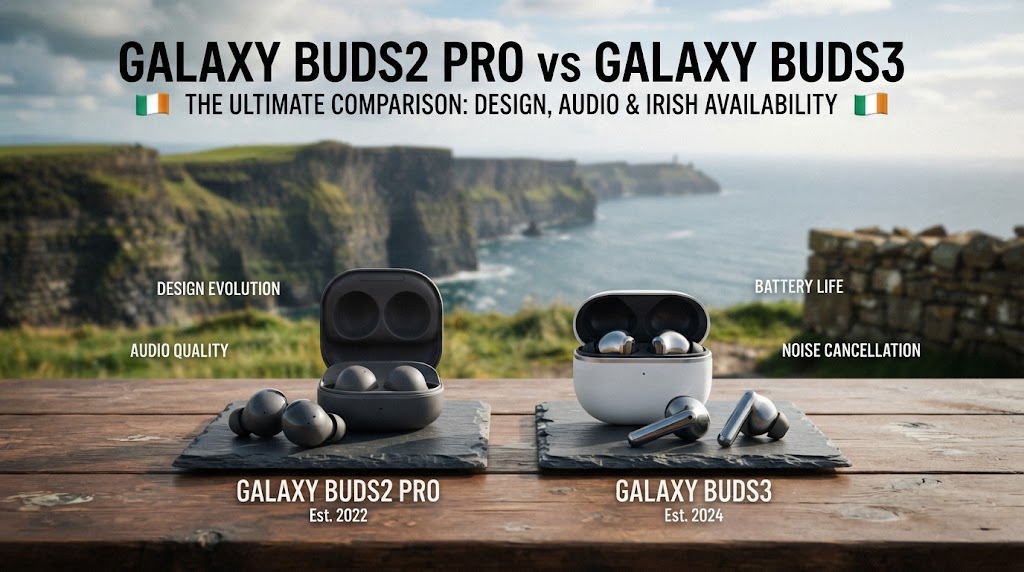
For Samsung users in Ireland, two models that can still attract attention are the Samsung Galaxy Buds2 Pro and Samsung Galaxy Buds3. The Buds2 Pro use a compact in-ear design with silicone ear tips, while the newer Buds3 introduce an open-type design with a stem-style shape, Bluetooth 5.4 and newer Samsung features. Samsung lists ANC, 360 Audio and Galaxy ecosystem features on both, but the underlying designs are quite different.
That difference matters because the newest model is not automatically the right choice for every listener. Some people may prefer the lighter, open design of the Buds3, while others may value the sealed fit and established noise isolation of the Buds2 Pro.
In this guide, we compare Galaxy Buds2 Pro vs Galaxy Buds3 across design, sound, ANC, battery life, calls, durability, connectivity and everyday use in Ireland.
Quick Answer: Galaxy Buds2 Pro vs Galaxy Buds3
If you want strong passive isolation, a secure in-ear fit and established ANC performance, the Galaxy Buds2 Pro remain an interesting option.
If you prefer a newer open-type design, lighter earbuds, Bluetooth 5.4 and newer Samsung ecosystem features, the Galaxy Buds3 may suit you better. Samsung lists the Buds3 at just 4.7g per earbud, compared with 5.5g for the Buds2 Pro.
The choice therefore depends less on which number is higher in the product name and more on how you intend to use your earbuds.
If you are already considering Samsung smartphones, our guide to the Best Samsung Phones to Buy in Ireland in 2026 can also help you understand which Galaxy devices may pair well with Samsung's wider ecosystem.
Key Takeaways
-
Galaxy Buds2 Pro: compact in-ear design with silicone ear tips and IPX7 water resistance.
-
Galaxy Buds3: open-type design, stem-style controls, Bluetooth 5.4 and IP57 durability.
-
Both support Active Noise Cancellation and 360 Audio.
-
Buds3 offer up to 5 hours of music playback with ANC on, or up to 24 hours including the case.
-
Buds2 Pro offer up to 5 hours with ANC on, or up to 18 hours including the case according to Samsung's listed specifications.
-
Buds3 are lighter at 4.7g per earbud, while Buds2 Pro weigh 5.5g each.
-
The Buds2 Pro's sealed in-ear design can provide stronger physical isolation from surrounding noise.
-
The Buds3's open-type design can feel more natural for people who dislike silicone ear tips.
-
Samsung-specific features are generally most useful when the earbuds are paired with compatible Galaxy smartphones.
-
Your choice should depend on fit, noise control, phone compatibility and listening habits, rather than simply choosing the newer model.
Galaxy Buds2 Pro vs Galaxy Buds3: What's the Main Difference?

The biggest difference is the physical design.
The Galaxy Buds2 Pro are traditional compact in-ear earbuds. They sit inside the ear canal and use silicone ear tips to create a seal. This design can help with passive noise isolation and can make ANC more effective because less outside sound reaches the ear in the first place.
The Galaxy Buds3 take a different approach. They have an open-type design with a stem and are designed to sit differently in the ear. Samsung says the Buds3 use an angled design intended to bring sound closer to the ears, along with an 11mm speaker.
This creates an important choice:
| Feature | Galaxy Buds2 Pro | Galaxy Buds3 |
|---|---|---|
| Design | In-ear | Open-type |
| Ear tips | Silicone ear tips | No traditional silicone tips |
| Earbud weight | 5.5g | 4.7g |
| Bluetooth | 5.3 | 5.4 |
| ANC | Yes | Yes |
| 360 Audio | Yes | Yes |
| Water/dust rating | IPX7 | IP57 |
| Earbud speaker | 2-way | 1-way 11mm |
| Adaptive EQ | No | Yes |
| Adaptive ANC | No | Yes |
| LE Audio | Listed as available/future support | Yes |
| Samsung Seamless Codec | Yes | Yes, including SSC-UHQ |
| Auto Switch | Yes | Yes |
Specifications are based on Samsung's published product information.
The difference in design is more important than the generation number because it directly affects comfort, isolation and how you hear your surroundings.
Design and Comfort

1. Galaxy Buds2 Pro Design
The Buds2 Pro are compact and relatively lightweight. Samsung lists each earbud at 5.5g, with a 61mAh battery inside each earbud and a 515mAh charging case.
The in-ear construction means you insert the earbuds into your ears using the supplied ear tips. When the tips fit correctly, they create a seal that can help keep external sound out and improve bass response.
For commuting, travelling or working in a noisy environment, this can be useful because you are not relying on ANC alone.
2. Galaxy Buds3 Design
The Galaxy Buds3 have a much more noticeable redesign. Samsung describes them as having an open-type design with an angled shape and an 11mm speaker. Each earbud weighs 4.7g.
The stem-style design also changes how you interact with the earbuds.
For people who dislike the pressure of silicone ear tips, this can be a significant advantage. However, open-type earbuds can fit differently from person to person, so comfort and sound perception may vary depending on ear shape.
Independent testing has also highlighted how strongly fit can affect the performance of open-style Galaxy Buds models.
3. Which Design Is Better?
There is no universal answer.
Choose the Buds2 Pro-style in-ear design if you prefer:
-
A more sealed fit
-
Silicone ear tips
-
Greater physical isolation
-
A compact traditional earbud shape
-
A more secure fit for commuting and travel
Consider the Buds3 if you prefer:
-
A lighter earbud
-
An open-style fit
-
A stem-style design
-
Less of the plugged-in feeling
-
Newer Samsung hardware and connectivity
Sound Quality: Galaxy Buds2 Pro vs Galaxy Buds3

Sound quality is one of the hardest areas to judge purely from specifications because personal preference and ear fit make a major difference.
The Buds2 Pro use a two-way speaker system, while Samsung lists the Buds3 with a one-way 11mm speaker. Samsung also promotes high-quality 24-bit audio and its Samsung Seamless Codec on compatible Galaxy devices.
The Buds2 Pro were designed around an in-ear seal, which can help produce a fuller low-end response when the ear tips fit correctly.
The Buds3 use a different acoustic approach. Their open-type design can sound more spacious and natural to some listeners, but the lack of a traditional sealed ear tip means fit becomes particularly important.
For Samsung Galaxy users with compatible devices, Buds3 also support Samsung's newer UHQ codec features. Samsung states that compatible Galaxy devices can support up to 24-bit/96kHz playback through the Samsung Seamless Codec, although device compatibility matters.
Which Is Better for Music?
For listeners who enjoy bass-heavy music and a sealed in-ear presentation, the Buds2 Pro may be more suitable.
For people who prefer a more open listening experience and want newer Samsung audio technology, the Buds3 may be more appealing.
Independent testing of Samsung's open-style Buds3 has found that fit can significantly influence their measured sound performance, reinforcing why you should consider your ear shape rather than choosing solely from specifications.
Active Noise Cancellation and Isolation

ANC is one of the most important differences to consider.
The Galaxy Buds2 Pro use both the physical seal created by their ear tips and Active Noise Cancellation. Samsung lists ANC as a core feature and also includes Ambient Sound and Voice Detect functions.
The Buds3 also have ANC and Adaptive ANC. Samsung says their system can adjust noise control based on surroundings and wearing conditions.
However, ANC performance cannot be separated completely from physical design.
An in-ear earbud with a good seal naturally blocks some external noise before ANC even begins working. An open-style earbud does not provide the same physical barrier.
Independent testing has found this distinction important when comparing Samsung's open Buds3 with in-ear alternatives.
1. For Commuting in Ireland
If you regularly use public transport, travel through busy areas or work somewhere with continuous background noise, the Buds2 Pro's sealed design may make more sense.
The Buds3 can still provide ANC, but their open fit means your experience may depend heavily on how naturally they sit in your ears.
2. For Home and Office Use
For home working, studying or situations where you still want to remain relatively aware of your surroundings, the Buds3's open-style approach can be attractive.
This is particularly useful if you frequently need to hear people around you without removing your earbuds.
Battery Life

Samsung's official figures put the two models fairly close when ANC is enabled.
The Galaxy Buds2 Pro offer up to 5 hours of continuous playtime with ANC on, with up to 18 hours including the charging case.
The Galaxy Buds3 offer up to 5 hours with ANC on, with up to 24 hours including the case. With ANC off, Samsung lists up to 6 hours from the Buds3 and up to 30 hours total with the case.
| Battery specification | Galaxy Buds2 Pro | Galaxy Buds3 |
|---|---|---|
| Earbuds with ANC | Up to 5 hours | Up to 5 hours |
| Total with case + ANC | Up to 18 hours | Up to 24 hours |
| Earbuds without ANC | Not directly listed in the same format on Samsung IE page | Up to 6 hours |
| Total without ANC | — | Up to 30 hours |
Actual battery life can vary depending on volume, connectivity, features, settings and usage conditions.
On the published figures, the Buds3 have the advantage for total case-assisted listening time, particularly with ANC enabled.
Water and Dust Resistance

The durability ratings are different.
Samsung lists the Galaxy Buds2 Pro with IPX7 water resistance.
The Galaxy Buds3 are listed with IP57 durability, meaning they add dust protection alongside water resistance. Samsung's published specifications state that the IP57 rating is based on laboratory conditions involving fresh water, while the charging case itself is not water resistant.
This does not mean either model should be deliberately submerged or used carelessly around water.
For everyday use, the important point is that both offer protection, but their ratings are expressed differently.
Connectivity and Samsung Galaxy Features

Both earbuds are designed to work particularly well within the Samsung ecosystem.
The Buds2 Pro use Bluetooth 5.3 and support features including Auto Switch, SmartThings Find, 360 Audio and Samsung's audio technologies.
The Buds3 move to Bluetooth 5.4 and support LE Audio, Auto Switch, 360 Audio and Samsung Seamless Codec features.
For someone already using a compatible Galaxy smartphone, the experience can be more integrated than simply connecting generic Bluetooth earbuds.
This is one reason it can be useful to consider the smartphone you already own. If you're comparing Samsung phones as well as accessories, you can also explore our Samsung A Series vs S Series guide before deciding which Galaxy ecosystem is right for you.
What About iPhone Users?
Both earbuds can be used as Bluetooth audio devices with other compatible devices, but some Samsung-specific functionality depends on the Galaxy ecosystem.
Samsung states that certain Galaxy AI and Interpreter features on the Buds3 require compatible Samsung Galaxy smartphones and a Samsung Account.
Therefore, if you use an iPhone, do not choose the Buds3 purely because they advertise Samsung AI features. Check whether the particular feature you want is actually supported by your phone.
Calls and Microphone Performance
The Buds3 have a newer microphone and voice-processing setup, with Samsung listing six microphones, a Voice Pickup Unit and Super Wideband support.
The Buds2 Pro use three high-SNR microphones plus a Voice Pickup Unit according to Samsung's comparison information.
The Buds3 therefore bring newer hardware and processing aimed at improving voice communication.
However, call quality depends on your environment, network connection, software and how the earbuds fit.
If you frequently take calls outdoors or in busy locations, microphone performance should be considered alongside ANC rather than treated as a separate specification.
Galaxy AI and Newer Features

This is one of the biggest reasons someone may look at the Buds3 instead of the older Buds2 Pro.
Samsung positions the Buds3 around newer Galaxy AI-related functionality, including Interpreter and Live Translate features when paired with compatible Galaxy smartphones.
The important limitation is that these features are not simply built into the earbuds independently. Samsung explains that Interpreter relies on the connected Galaxy smartphone and supported software.
Feature availability can also vary according to device, region and language.
So if Galaxy AI features are a major reason for your purchase, check your exact Samsung phone model before buying.
Galaxy Buds2 Pro vs Galaxy Buds3 for Everyday Use

Your everyday routine may make the decision easier.
1. For Students
Students may value:
-
Comfortable long-term wear
-
Battery life
-
Noise reduction while studying
-
Reliable calls
-
Easy switching between devices
The Buds2 Pro can be attractive if you want a sealed fit for study sessions.
The Buds3 may appeal if you dislike in-ear pressure and want a lighter open-style design.
If you're also choosing a phone for study, our Best Smartphones for Students in Ireland 2026 guide can help you consider the wider device setup.
2. For Commuters
For buses, trains and busy streets, physical isolation matters.
The Buds2 Pro's silicone ear tips create a seal, which can help reduce external sound before ANC is applied.
That makes the design particularly relevant for commuters.
3. For Office and Home Workers
The Buds3 may suit people who prefer a more open-feeling listening experience and do not want to feel completely isolated from their surroundings.
For video calls, music and occasional listening, the lighter design can also be appealing.
4. For Samsung Phone Owners
Both models make the most sense when considered alongside a compatible Galaxy phone.
The Buds3 offer newer Bluetooth hardware and newer Galaxy ecosystem features, while the Buds2 Pro still provide a strong combination of ANC, compact design and Samsung integration.
Galaxy Buds2 Pro vs Galaxy Buds3: Pros and Cons

1. Galaxy Buds2 Pro
Pros
-
Compact in-ear design
-
Silicone ear tips for a sealed fit
-
Strong physical isolation
-
ANC
-
360 Audio
-
IPX7 water resistance
-
Bluetooth 5.3
-
Wireless charging support
-
Lightweight at 5.5g per earbud
Cons
-
Older Bluetooth generation than Buds3
-
Shorter total published battery life with the case
-
Some users may dislike the in-ear pressure
-
Older Samsung feature set compared with newer Galaxy Buds models
2. Galaxy Buds3
Pros
-
Newer open-type design
-
Lightweight 4.7g earbuds
-
Bluetooth 5.4
-
ANC and Adaptive ANC
-
Adaptive EQ
-
IP57 rating
-
Up to 24 hours total playback with ANC according to Samsung
-
Newer Galaxy AI-related functionality on compatible devices
-
360 Audio
-
Six microphones
-
LE Audio support
Cons
-
Open design provides less physical isolation
-
Fit may vary more between users
-
Some Samsung AI features require compatible Galaxy smartphones
-
People who prefer silicone ear tips may prefer the Buds2 Pro
Which Galaxy Buds Should You Buy in Ireland?
Instead of looking for one universal answer, consider which features matter most to you.
| If you prioritise... | Consider |
|---|---|
| In-ear sealed fit | Galaxy Buds2 Pro |
| Open-style design | Galaxy Buds3 |
| Strong physical isolation | Galaxy Buds2 Pro |
| Newer Bluetooth version | Galaxy Buds3 |
| Longer total published case battery | Galaxy Buds3 |
| Compact traditional earbuds | Galaxy Buds2 Pro |
| Galaxy AI-related features | Galaxy Buds3 |
| IP57 dust + water rating | Galaxy Buds3 |
| IPX7 water resistance | Galaxy Buds2 Pro |
| Samsung ecosystem integration | Both |
| Avoiding silicone ear tips | Galaxy Buds3 |
This comparison is based on published specifications and design differences rather than assuming that the newer model is automatically better.
How We Assess Galaxy Buds for Irish Buyers
At fonez4u2, a useful earbud comparison should go beyond headline specifications.
When assessing wireless earbuds for buyers in Ireland, we recommend considering:
1. Fit and Comfort
An earbud can have excellent specifications but still be unsuitable if it does not fit your ears comfortably.
2. Audio and Noise Control
Look at the combination of speaker design, passive isolation, ANC and the way the earbuds fit.
3. Battery Life
Compare both earbud battery life and the additional charging capacity provided by the case.
4. Compatibility
Check which features are available with your particular smartphone. Samsung-specific functions can depend on compatible Galaxy hardware and software.
5. Condition and Warranty
If buying a refurbished or pre-owned device, inspect the physical condition, charging behaviour, connectivity and included accessories. A warranty also provides additional peace of mind.
For more general accessory advice, you can also read our Best Phone Accessories Everyone Should Have in Ireland 2026 guide.
What Should You Check Before Buying Galaxy Buds?

Whether you choose Buds2 Pro or Buds3, check the following before purchasing:
-
Confirm the exact model.
-
Check whether the earbuds are new or refurbished.
-
Check the physical condition.
-
Confirm both earbuds connect correctly.
-
Test left and right audio output.
-
Check microphone functionality.
-
Test ANC and ambient modes where available.
-
Check charging for both earbuds.
-
Inspect the charging case.
-
Confirm compatible accessories are included.
-
Check warranty coverage.
-
Verify the seller's return policy.
-
Make sure the earbuds are not linked to another account where applicable.
-
Confirm compatibility with your smartphone.
These checks become particularly important when buying refurbished electronics.
Galaxy Buds2 Pro vs Galaxy Buds3: Frequently Asked Questions
1. Are Galaxy Buds3 better than Galaxy Buds2 Pro?
The Buds3 are newer and introduce a redesigned open-type form factor, Bluetooth 5.4 and newer Samsung features. However, the Buds2 Pro have a sealed in-ear design that may be preferable for people who value physical isolation and traditional ear tips.
2. Do Galaxy Buds3 have noise cancellation?
Yes. Samsung lists Active Noise Cancellation and Adaptive ANC for the Galaxy Buds3.
3. Do Galaxy Buds2 Pro have ANC?
Yes. Active Noise Cancellation is one of the main features of the Galaxy Buds2 Pro.
4. Which has better battery life?
According to Samsung's published figures, both provide up to 5 hours of music playback with ANC enabled at the earbuds, but the Buds3 provide up to 24 hours total with the case compared with up to 18 hours for the Buds2 Pro.
5. Are Galaxy Buds3 waterproof?
They are rated IP57 under Samsung's specified laboratory conditions. The charging case is not water resistant, and Samsung advises drying the earbuds and hands before placing them in the case.
6. Are Galaxy Buds2 Pro waterproof?
The Buds2 Pro have an IPX7 water-resistance rating.
7. Which Galaxy Buds are better for commuting?
The Buds2 Pro may suit commuters who value a sealed in-ear fit and physical noise isolation. The Buds3 can still provide ANC, but their open-type design allows more environmental sound through. Independent testing has highlighted the effect of open fit on isolation.
8. Which are better for people who dislike silicone ear tips?
The Galaxy Buds3 are the more obvious option because they use an open-type design rather than the traditional silicone ear-tip arrangement of the Buds2 Pro.
9. Do Galaxy Buds3 work with Samsung phones?
Yes. They are designed to integrate with compatible Galaxy smartphones and support Samsung ecosystem features. Some advanced features require specific compatible devices.
10. Do Galaxy Buds2 Pro work with Samsung phones?
Yes. Samsung designed the Buds2 Pro to integrate with Galaxy smartphones and other compatible devices, including features such as Auto Switch and 360 Audio.
11. Do Galaxy Buds3 support Bluetooth 5.4?
Yes. Samsung lists Bluetooth 5.4 for the Galaxy Buds3.
12. What Bluetooth version do Galaxy Buds2 Pro use?
Samsung lists Bluetooth 5.3 for the Galaxy Buds2 Pro.
13. Do Galaxy Buds3 support 360 Audio?
Yes. Samsung lists 360 Audio as supported on the Galaxy Buds3. Compatibility can depend on the connected device.
14. Do Galaxy Buds2 Pro support 360 Audio?
Yes. Samsung lists 360 Audio support for the Buds2 Pro.
15. Are Galaxy Buds3 good for calls?
The Buds3 have six microphones, a Voice Pickup Unit and Super Wideband support, providing newer hardware for voice communication. Actual call quality will depend on environment, connectivity and device compatibility.
16. Which Galaxy Buds are lighter?
The Galaxy Buds3 are lighter. Samsung lists 4.7g per earbud compared with 5.5g for the Buds2 Pro.
17. Which Galaxy Buds should I choose for studying?
If you want a sealed fit and stronger physical isolation, the Buds2 Pro may suit you. If you prefer an open design and want greater awareness of your surroundings, the Buds3 may be more comfortable.
18. Which Galaxy Buds should I choose for travel?
For noisy travel environments, the Buds2 Pro's in-ear seal can be useful. For casual travel and situations where you want to remain more aware of your surroundings, the Buds3 may be preferable.
19. Are Galaxy Buds3 worth considering in 2026?
Yes, particularly if you specifically want their open design, Bluetooth 5.4, Adaptive ANC, longer published case-assisted battery life and newer Samsung ecosystem features. However, buyers should compare them with newer models and current availability before making a purchase.
20. Should you buy Galaxy Buds2 Pro or Galaxy Buds3?
Consider the Galaxy Buds2 Pro if your priorities are a sealed in-ear fit, physical isolation and established ANC performance.
Consider the Galaxy Buds3 if you prefer an open-type design, lighter earbuds, newer connectivity and newer Samsung features.
Final Thoughts: Galaxy Buds2 Pro vs Galaxy Buds3
The Galaxy Buds2 Pro and Galaxy Buds3 take noticeably different approaches to wireless audio.
The Galaxy Buds2 Pro remain relevant because their compact in-ear design, silicone ear tips, ANC and IPX7 rating make them a practical option for users who prefer a sealed fit and stronger physical isolation.
The Galaxy Buds3 represent a more substantial redesign. They are lighter, use Bluetooth 5.4, add Adaptive EQ and Adaptive ANC, have an IP57 rating and offer longer published total playback time with the charging case. Samsung also positions them around newer Galaxy AI-related experiences when paired with compatible Galaxy smartphones.
The important point is that newer does not automatically mean better for every user. Your ear shape, preferred fit, daily environment and smartphone ecosystem should all influence your decision.
If you commute frequently and want a sealed in-ear experience, the Buds2 Pro may make more sense. If you dislike silicone tips and prefer a newer open-style design, the Buds3 may be the better match.
Before purchasing, compare the exact model, condition, included accessories, compatibility and warranty. For refurbished technology, these details can be just as important as the headline specifications.
About fonez4u2
fonez4u2 is an Ireland-based mobile technology retailer specialising in SIM-free phones, refurbished smartphones, accessories and related technology. The store's range includes Samsung Galaxy devices, iPhones, charging accessories, protection products, earbuds and other mobile technology.
For buyers comparing Samsung phones and accessories, the goal should be to choose products based on genuine needs, device compatibility and long-term practicality rather than simply selecting the newest model.
Sources & Verification
The technical specifications in this guide have been checked against Samsung's published product and support information, including Samsung Ireland/UK product specifications for the Galaxy Buds2 Pro and Galaxy Buds3. Independent testing information has also been considered where fit, sound and noise-isolation performance cannot be represented fully by manufacturer specifications.

Leave a comment
This site is protected by hCaptcha and the hCaptcha Privacy Policy and Terms of Service apply.