
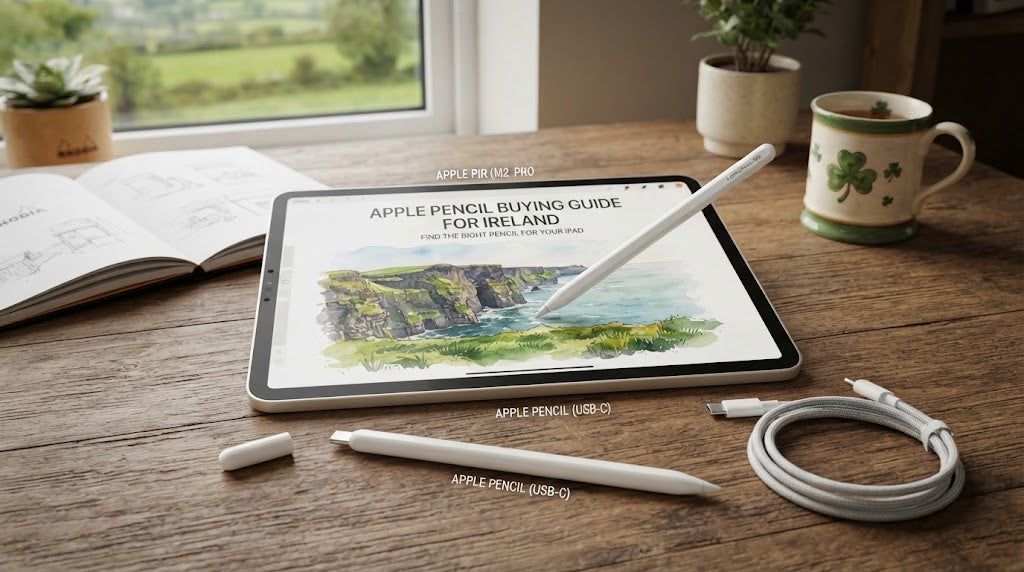
Apple Pencil Buying Guide: Which Apple Pencil Do You Need?
Author: SHAH ZAIB
Reviewed by: fonez4u2 Technical Team | Refurbished Smartphone & Tablet Specialists
Last Updated: October 2026
Reading Time: 14–17 minutes
Choosing an Apple Pencil in Ireland in 2026 is not simply about buying the newest or most expensive model. The right Apple Pencil depends first on which iPad you own, which iPad you plan to buy, and how you intend to use the Pencil.
Apple's current lineup includes Apple Pencil Pro, Apple Pencil (USB-C), Apple Pencil (2nd generation) and Apple Pencil (1st generation). These models are not universally compatible with every iPad. Some iPads support multiple Pencil models, while others are limited to specific generations.
This makes compatibility the first thing you should check before buying.
A student who mainly reads PDFs, writes lecture notes and annotates documents may not need the most advanced Apple Pencil. A digital artist, designer or creative professional may benefit from a compatible iPad Pro or iPad Air paired with Apple Pencil Pro.
There is also an important consideration for refurbished-device buyers. If you purchase an older iPad, the correct Pencil may be different from the one used with Apple's latest models.
In this guide, we compare the Apple Pencil lineup in Ireland, including compatibility, features, charging, note-taking, drawing, students, professional use, refurbished iPads and accessories. We also explain which Pencil makes sense for popular iPad models available through fonez4u2.
Quick Answer: Which Apple Pencil Do You Need?
The easiest way to choose an Apple Pencil is to start with your exact iPad model and generation.
-
Apple Pencil Pro is designed for newer compatible iPad Pro, iPad Air and iPad mini models.
-
Apple Pencil (USB-C) is designed for many USB-C iPads and is particularly suitable for notes, sketching and document annotation.
-
Apple Pencil (2nd generation) remains relevant for compatible older iPad Pro, iPad Air and iPad mini models.
-
Apple Pencil (1st generation) works with several older iPads, including the iPad 9th generation and current iPad A16.
-
The iPad A16 and iPad 10th generation can use Apple Pencil USB-C or Apple Pencil 1st generation, although the 1st-generation Pencil requires the appropriate adapter for pairing and charging.
If you are still deciding which iPad to buy, our Best iPad Models to Buy in Ireland in 2026 guide can help you compare Apple's wider tablet lineup before choosing your Pencil.
Apple Pencil Buying Guide at a Glance
| Apple Pencil | Best Suited To | Key Strengths | Compatibility Consideration |
|---|---|---|---|
| Apple Pencil Pro | Advanced creative work | Advanced Pencil features, pressure sensitivity, precision input | Newer compatible iPad Pro, Air and mini models |
| Apple Pencil USB-C | Students and everyday users | USB-C charging, precision, tilt sensitivity | Broad compatibility with many USB-C iPads |
| Apple Pencil 2nd Generation | Older compatible iPads | Magnetic charging, pressure sensitivity, double-tap | Selected older Pro, Air and mini models |
| Apple Pencil 1st Generation | Older iPads | Pressure sensitivity, tilt sensitivity | Selected older iPads plus iPad 9th Gen and A16 |
Compatibility should always be checked against the exact iPad model before purchase.
Key Takeaways
-
Apple Pencil compatibility matters more than the Pencil generation number.
-
Apple Pencil Pro is not compatible with every iPad.
-
Apple Pencil USB-C works with a wide range of compatible USB-C iPads.
-
Apple Pencil 2nd generation remains relevant for selected older iPad Pro, Air and mini models.
-
Apple Pencil 1st generation is compatible with several older iPads, including the iPad 9th generation.
-
The current iPad A16 supports Apple Pencil USB-C and Apple Pencil 1st generation.
-
Students who mainly take notes may not need Apple Pencil Pro.
-
Digital artists and professional creators may benefit from Apple Pencil Pro when paired with a compatible iPad.
-
Your iPad model should be identified before buying the Pencil.
-
Refurbished iPad buyers should pay particular attention to Pencil compatibility.
-
Cases, screen protectors and charging accessories should be considered as part of the complete setup.
-
The most expensive Pencil is not automatically the most suitable Pencil for your needs.
For a broader look at tablets, you can also explore Best Tablets to Buy in Ireland in 2026 | Buying Guide.
How We Assess Apple Pencil Models

At fonez4u2, we believe an Apple Pencil buying decision should be based on compatibility, actual usage and long-term practicality, rather than simply choosing the newest model.
1. Compatibility
Compatibility is the first check.
A Pencil may have excellent specifications but still be unsuitable if your iPad does not support it.
2. Note-Taking
We consider how well each Pencil fits tasks such as:
-
Lecture notes
-
Schoolwork
-
University study
-
PDF annotation
-
Journalling
-
Handwritten lists
-
Document markup
3. Drawing and Creative Work
For artists and designers, features such as pressure sensitivity, tilt support and other supported Pencil capabilities can make a meaningful difference.
4. Charging
Different Apple Pencil generations use different charging and pairing methods.
This becomes especially important when comparing older iPads with newer USB-C models.
5. Overall Value
The right Pencil is the one that gives you the features you actually need while remaining compatible with your iPad.
You should therefore consider the iPad + Pencil combination, rather than evaluating the Pencil in isolation.
Apple Pencil Pro: Who Is It For?

Apple Pencil Pro is Apple's high-end Pencil option for compatible iPads.
It is designed for users who want advanced Pencil functionality and is particularly relevant to creative workflows.
Compatible iPad families include newer:
-
iPad Pro models
-
iPad Air models
-
iPad mini A17 Pro
1. Professional Creative Work
Apple Pencil Pro can be relevant to:
-
Digital illustration
-
Graphic design
-
Detailed sketching
-
Digital artwork
-
Creative applications
-
Professional note-taking
-
Design workflows
2. Pressure-Sensitive Creative Work
Pressure-sensitive input can be particularly useful when drawing because the way you interact with the Pencil can affect the result in supported applications.
3. Hover and Advanced Features
Some Apple Pencil Pro features depend on the specific compatible iPad.
This is why buyers should not assume that purchasing the Pencil alone guarantees access to every feature.
4. Who Should Consider Apple Pencil Pro?
Apple Pencil Pro is particularly relevant if you:
-
Own a compatible iPad
-
Draw regularly
-
Work with professional creative applications
-
Need advanced Pencil functionality
-
Want a more feature-rich stylus setup
The Apple Pencil Pro C Type New is available within the fonez4u2 product range. Always confirm compatibility with your exact iPad before purchasing.
If you are comparing iPad models specifically for creative work, our iPad vs iPad Pro: Which One Should You Choose in Ireland in 2026? guide provides additional information about performance, displays and creative workflows.
Apple Pencil USB-C: Who Should Choose It?

Apple Pencil USB-C is designed as a practical option for compatible iPads.
It is particularly relevant to people who want a Pencil for:
-
Note-taking
-
Sketching
-
PDF annotation
-
Document markup
-
Journalling
-
Everyday creativity
1. USB-C Charging
The USB-C connection makes the charging setup familiar for users who already have USB-C devices.
This can be particularly convenient with newer iPads.
2. Students
For many students, the Apple Pencil USB-C can provide the functionality needed for:
-
Lecture notes
-
PDF annotation
-
Coursework
-
Diagrams
-
Reading
-
Study organisation
If you are buying an iPad primarily for education, also see Best Tablets for Students in Ireland in 2026 | Student Guide.
3. Everyday Creative Use
Apple Pencil USB-C can also be suitable for casual sketching and everyday creative tasks.
However, users who need advanced professional drawing features should compare its capabilities with Apple Pencil Pro before making a purchase.
4. Who Should Choose It?
Apple Pencil USB-C may make sense if you:
-
Have a compatible USB-C iPad
-
Mainly take notes
-
Annotate PDFs
-
Sketch occasionally
-
Want USB-C charging
-
Do not need the advanced features of Apple Pencil Pro
Apple Pencil 2nd Generation: Is It Still Relevant?

Apple Pencil 2nd generation is older than Apple Pencil Pro, but it remains relevant because compatibility depends on the iPad.
It works with selected older iPad models, including certain:
-
iPad Pro generations
-
iPad Air generations
-
iPad mini 6th generation
1. Magnetic Attachment
Apple Pencil 2nd generation is designed to attach magnetically to compatible iPads.
2. Wireless Charging
On supported iPads, the Pencil can charge through its magnetic connection.
3. Pressure Sensitivity
It supports pressure-sensitive input, making it suitable for compatible creative workflows.
4. Double-Tap
The Pencil includes a double-tap gesture for changing tools in supported applications.
5. Who Needs It?
If you already own a compatible older iPad, Apple Pencil 2nd generation may still be the appropriate Pencil.
The important point is:
Do not replace a compatible Pencil simply because a newer generation exists.
Your iPad determines which models are actually available to you.
Apple Pencil 1st Generation: Which iPads Use It?

Apple Pencil 1st generation remains important for several iPad models.
Compatible devices include selected older iPads as well as:
-
iPad 9th generation
-
iPad 10th generation
-
iPad A16
-
iPad mini 5th generation
-
iPad Air 3rd generation
-
Selected older iPad Pro models
1. iPad 9th Generation
The Apple iPad 9th Generation New in the fonez4u2 range is compatible with Apple Pencil 1st generation.
The Apple iPad 9th Generation Grade A is another option for buyers considering a refurbished or Grade A device.
This makes Pencil compatibility particularly important when comparing the two 9th-generation product options.
2. iPad A16
The current iPad A16 supports:
-
Apple Pencil USB-C
-
Apple Pencil 1st generation
However, Apple Pencil 1st generation requires the appropriate USB-C to Apple Pencil Adapter for pairing and charging with the A16.
3. iPad 10th Generation
The iPad 10th generation also supports:
-
Apple Pencil USB-C
-
Apple Pencil 1st generation
Again, the adapter requirement applies when using the 1st-generation Pencil.
For buyers comparing generations, this is one reason to check the exact iPad before buying an accessory.
Apple Pencil Compatibility Chart for iPad Models

Compatibility is the most important part of this buying decision.
| iPad Model | Apple Pencil Pro | Apple Pencil USB-C | Apple Pencil 2nd Gen | Apple Pencil 1st Gen |
|---|---|---|---|---|
| iPad A16 | No | Yes | No | Yes |
| iPad 10th Gen | No | Yes | No | Yes |
| iPad 9th Gen | No | No | No | Yes |
| iPad Air M4 | Yes | Yes | No | No |
| iPad Air M3 | Yes | Yes | No | No |
| iPad Air M2 | Yes | Yes | No | No |
| iPad mini A17 Pro | Yes | Yes | No | No |
| iPad mini 6th Gen | No | Yes | Yes | No |
| iPad Pro M5 | Yes | Yes | No | No |
| iPad Pro M4 | Yes | Yes | No | No |
| iPad Pro 11-inch 4th Gen | No | Yes | Yes | No |
| iPad Pro 12.9-inch 6th Gen | No | Yes | Yes | No |
This table should be checked against Apple's latest compatibility information whenever new iPad models are released.
Apple Pencil Pro vs Apple Pencil USB-C

For users with a newer compatible iPad, the most common question is whether they need Apple Pencil Pro or Apple Pencil USB-C.
| Feature | Apple Pencil Pro | Apple Pencil USB-C |
|---|---|---|
| Best suited to | Advanced creative work | Notes and everyday use |
| USB-C charging | Yes | Yes |
| Tilt sensitivity | Yes | Yes |
| Pressure-sensitive input | Yes | Limited compared with Pro feature set |
| Magnetic attachment | Yes | Yes |
| Advanced features | More extensive | More basic |
| iPad A16 | No | Yes |
| iPad Pro M5 | Yes | Yes |
| iPad Air M4 | Yes | Yes |
| iPad mini A17 Pro | Yes | Yes |
The key takeaway is that compatibility and intended use should be considered together.
If you own an iPad A16, Apple Pencil Pro is not an option regardless of how advanced the Pencil is.
If you own a compatible iPad Pro or iPad Air and mainly take notes, USB-C may still meet your requirements.
Apple Pencil for Students in Ireland

An Apple Pencil can turn an iPad into a useful digital notebook for students.
1. Lecture Notes
Students can write directly on the iPad during lectures and organise notes digitally.
2. PDF Annotation
Lecture slides, textbooks and documents can be marked up without printing every page.
3. Research
Students can highlight, annotate and organise research material.
4. Which Pencil Should Students Choose?
The answer depends on the iPad.
| Student iPad | Pencil Options to Consider |
|---|---|
| iPad 9th Gen | Apple Pencil 1st Gen |
| iPad A16 | Apple Pencil USB-C / 1st Gen |
| iPad 10th Gen | Apple Pencil USB-C / 1st Gen |
| iPad Air M4 | Apple Pencil Pro / USB-C |
| iPad mini A17 Pro | Apple Pencil Pro / USB-C |
| iPad Pro M4/M5 | Apple Pencil Pro / USB-C |
If you're deciding between an iPad and another tablet for university, our iPad vs Samsung Galaxy Tab: Which Should You Buy in Ireland? guide provides a broader comparison.
You can also see Best Tablets for Students in Ireland in 2026 | Student Guide for education-focused tablet advice.
Apple Pencil for Drawing and Digital Art
Drawing requirements are different from simple note-taking.
Basic Drawing
For occasional sketching, diagrams and simple creative work, a compatible Apple Pencil USB-C or 1st-generation Pencil may be sufficient depending on the iPad.
Advanced Drawing
Professional artists and designers may want:
-
Pressure-sensitive input
-
Tilt sensitivity
-
Precision
-
Compatible advanced Pencil features
-
High-quality display
-
Apple Pencil Pro support
A compatible iPad Air or iPad Pro paired with Apple Pencil Pro can therefore provide a more advanced creative setup.
If you're comparing display and performance between Apple's tablets, our iPad vs iPad Pro: Which One Should You Choose in Ireland in 2026? guide covers these differences in more detail.
Apple Pencil for Note-Taking

If your primary use is note-taking, you may not need Apple's highest-end Pencil.
A good note-taking setup should consider:
-
Writing comfort
-
iPad screen size
-
Pencil compatibility
-
Charging method
-
Storage
-
Case compatibility
-
Your preferred note-taking application
Apple Pencil USB-C can be particularly practical for users whose main requirements are notes, document annotation and simple sketches.
For more tablet-storage advice, see How Much Tablet Storage Do You Really Need? Ireland 2026 Guide.
Storage becomes particularly relevant if you keep large PDF libraries, scanned documents, lecture recordings or creative files on the iPad.
Apple Pencil for Work and Productivity

Apple Pencil is not limited to education and drawing.
It can also be useful for:
-
Signing documents
-
Annotating PDFs
-
Reviewing designs
-
Marking presentations
-
Planning
-
Handwritten reminders
-
Business diagrams
-
Reviewing documents
For everyday productivity, a compatible USB-C Pencil may be enough.
Creative professionals who use an iPad as part of a demanding workflow may have stronger reasons to consider Apple Pencil Pro.
If you're also using an iPad for long-form typing, consider whether a keyboard should be included in your overall budget.
Apple Pencil Charging: What You Need to Know
Charging is one of the biggest practical differences between Apple Pencil generations.
1. Apple Pencil USB-C
Apple Pencil USB-C uses a USB-C connection for pairing and charging.
This can be convenient for users who already use USB-C cables and accessories.
2. Apple Pencil 1st Generation
The 1st-generation Pencil uses a Lightning connector.
When paired with newer USB-C iPads such as the iPad A16 and iPad 10th generation, the appropriate USB-C to Apple Pencil Adapter is required.
3. Apple Pencil 2nd Generation
Apple Pencil 2nd generation is designed to magnetically attach and charge on compatible iPads.
4. Apple Pencil Pro
Apple Pencil Pro is designed for compatible modern iPads and uses magnetic attachment and charging on supported devices.
Before purchasing, always check the charging method as well as basic compatibility.
Do You Need Apple Pencil Pro?
Not every iPad owner needs Apple Pencil Pro.
It may be unnecessary if you mainly:
-
Take basic notes
-
Read PDFs
-
Annotate documents
-
Study
-
Browse
-
Make occasional sketches
It becomes more relevant if you:
-
Draw professionally
-
Illustrate
-
Design
-
Work with demanding creative applications
-
Need advanced Pencil functionality
The important principle is simple:
Buy the Pencil that matches your workflow, not simply the Pencil with the highest specification.
Apple Pencil and Refurbished iPads

Buying a refurbished iPad can make the Pencil decision slightly more complicated because older generations can use different Pencil models.
Before buying a refurbished iPad, check:
-
Exact iPad generation
-
Model number
-
Screen size
-
Storage
-
Battery condition
-
Physical condition
-
USB-C or Lightning connectivity
-
Apple Pencil compatibility
-
Activation Lock status
-
Warranty
-
Return policy
For example, an Apple iPad 9th Generation Grade A requires a different Pencil choice from an iPad Air M4 or iPad Pro M5.
Our What to Check Before Buying a Used or Refurbished Phone? 2026 Guide provides a useful checklist for evaluating refurbished technology.
You can also read How to Choose a Refurbished Phone in Ireland: 2026 Guide and New vs Refurbished Phones: How to Get More for Your Money | Ireland 2026.
Although these guides focus on phones, many of the general principles—condition, warranty, battery and seller standards—are also useful when evaluating refurbished tablets.
Apple Pencil Options at fonez4u2
fonez4u2's product range includes the Apple Pencil Pro C Type New for compatible iPad models.
The store also offers several iPad models, including:
-
Apple iPad 9th Generation New
-
Apple iPad 9th Generation Grade A
-
Apple iPad 10th Generation
-
Apple iPad 11th Generation
This gives buyers an opportunity to compare different iPad generations before selecting a Pencil.
For example:
Apple iPad 9th Generation → Apple Pencil 1st Generation
while:
iPad A16 → Apple Pencil USB-C or Apple Pencil 1st Generation
and newer compatible iPad Air and iPad Pro models can support Apple Pencil Pro.
If you're comparing the iPad itself before buying the Pencil, read Best iPad Models to Buy in Ireland in 2026 and iPad vs iPad Pro: Which One Should You Choose in Ireland in 2026?
Apple Pencil Accessories and Protection

The Pencil is only one part of a complete iPad setup.
1. iPad Cases
A protective case can help reduce scratches and everyday impact.
Relevant fonez4u2 products include:
-
Silicon Clear Case
-
Hard Back Strong Black Case
-
Black Book Case
-
Otter Box Back Case
If you're also considering protection for your phone, our Phone Cases: Which Type Offers the Best Protection? | Ireland 2026 Guide explains different case types and protection considerations.
2. Screen Protectors
fonez4u2 also has:
-
Full Clear Glass Protector
-
9D Strong Glass Protector
-
Privacy Glass Protector
For broader guidance, see Why Should You Use a Screen Protector? | Ireland 2026 Guide.
3. Charging Accessories
Make sure your charging setup matches your iPad and Pencil.
Our How to Choose the Right Phone Charger | Ireland 2026 Guide provides general charger-selection advice, while USB-C vs Lightning: What Charger Do You Need? | Ireland 2026 explains the practical differences between the two connector standards.
Apple Pencil vs Other Styluses
Not every iPad owner necessarily needs an Apple Pencil.
Some third-party styluses may be suitable for basic touch input or casual note-taking.
However, Apple Pencil is specifically designed for compatible iPads and supports features such as precision input, tilt sensitivity and, depending on the model, pressure-sensitive and advanced creative functionality.
If drawing is your primary reason for buying a stylus, compatibility and feature support should matter more than simply choosing the lowest-cost option.
How to Choose the Right Apple Pencil
1. Identify Your Exact iPad
Start with:
-
iPad model
-
Generation
-
Screen size
-
Chip
-
Model number if necessary
Do not choose the Pencil based only on how your iPad looks.
2. Check Pencil Compatibility
Once you know your iPad, check which Apple Pencil models it supports.
This step can prevent buying an expensive accessory that cannot be used with your tablet.
3. Decide How You Will Use It
Ask yourself:
-
Do I mainly take notes?
-
Do I annotate PDFs?
-
Do I draw?
-
Do I design?
-
Do I need advanced creative features?
-
Do I want USB-C charging?
-
Will I use it professionally?
4. Consider Charging
If convenience matters, consider whether you prefer USB-C charging or magnetic charging on supported models.
5. Consider Your Budget
Don't pay for advanced Pencil capabilities that you will rarely use.
6. Check Your Case
If your iPad uses a case, make sure the design does not interfere with Pencil storage or magnetic charging where applicable.
7. Think About Future iPad Upgrades
If you expect to upgrade your iPad soon, check whether your current Pencil will be compatible with your planned device.
Which Apple Pencil Should You Choose?
| Your Situation | Apple Pencil to Consider |
|---|---|
| iPad 9th Generation | Apple Pencil 1st Generation |
| iPad A16 | Apple Pencil USB-C or 1st Generation |
| iPad 10th Generation | Apple Pencil USB-C or 1st Generation |
| iPad Air M2/M3/M4 | Apple Pencil Pro or USB-C |
| iPad mini A17 Pro | Apple Pencil Pro or USB-C |
| iPad mini 6th Generation | Apple Pencil 2nd Generation or USB-C |
| iPad Pro M4/M5 | Apple Pencil Pro or USB-C |
| Compatible older iPad Pro | Apple Pencil 2nd Generation or USB-C, depending on model |
| Basic note-taking | Compatible Apple Pencil USB-C or supported model |
| Professional digital art | Apple Pencil Pro with compatible iPad |
| Refurbished iPad | Choose Pencil after confirming exact iPad model |
Always verify the exact combination against Apple's current compatibility information before purchase.
Frequently Asked Questions About Apple Pencil
1. Which Apple Pencil should I buy in 2026?
It depends on your iPad. Apple Pencil Pro is intended for newer compatible iPad Pro, Air and mini models, while USB-C, 1st-generation and 2nd-generation Pencil models have different compatibility ranges.
2. Does iPad A16 support Apple Pencil?
Yes. iPad A16 supports Apple Pencil USB-C and Apple Pencil 1st generation.
3. Does iPad A16 support Apple Pencil Pro?
No. Apple Pencil Pro is not compatible with the iPad A16.
4. Which Apple Pencil works with iPad 9th generation?
Apple Pencil 1st generation is compatible with iPad 9th generation.
5. Which Apple Pencil works with iPad 10th generation?
The iPad 10th generation supports Apple Pencil USB-C and Apple Pencil 1st generation.
6. Does iPad 10th generation support Apple Pencil Pro?
No. Apple Pencil Pro is not compatible with the 10th-generation iPad.
7. Is Apple Pencil USB-C good for students?
Yes. It can be suitable for note-taking, sketching and document annotation on compatible iPads.
8. Is Apple Pencil Pro good for drawing?
Apple Pencil Pro is designed for compatible iPads and advanced creative workflows, making it particularly relevant to artists and designers.
9. Does Apple Pencil USB-C have the same features as Apple Pencil Pro?
No. The two models have different feature sets. Apple Pencil Pro is designed for more advanced Pencil functionality.
10. Does Apple Pencil USB-C charge with USB-C?
Yes. Apple Pencil USB-C uses USB-C for pairing and charging.
11. Does Apple Pencil 1st generation work with iPad A16?
Yes, but the appropriate USB-C to Apple Pencil Adapter is required for pairing and charging.
12. Does Apple Pencil 2nd generation work with iPad A16?
No. iPad A16 is not compatible with Apple Pencil 2nd generation.
13. Does Apple Pencil Pro work with iPad Pro M5?
Yes. Apple Pencil Pro is compatible with the current iPad Pro M5 models.
14. Does Apple Pencil Pro work with iPad Air M4?
Yes. Apple Pencil Pro is compatible with the iPad Air M4.
15. Does Apple Pencil Pro work with iPad mini A17 Pro?
Yes. Apple Pencil Pro is compatible with iPad mini A17 Pro.
16. Can I use Apple Pencil USB-C with iPad Pro M5?
Yes. Apple Pencil USB-C is compatible with the current iPad Pro M5.
17. Which Apple Pencil is suitable for university notes?
For many students using a compatible iPad, Apple Pencil USB-C can be a practical option. However, the exact iPad model should be checked first.
18. Can I use Apple Pencil with a refurbished iPad?
Yes, provided the Pencil is compatible with the exact iPad generation and model.
19. Should I buy Apple Pencil Pro if I only take notes?
Not necessarily. If you mainly take notes and annotate documents, a compatible Apple Pencil USB-C may meet your needs without requiring the advanced features of Apple Pencil Pro.
20. How do I know which Apple Pencil I need?
Identify your exact iPad model and generation first. Then check Apple's compatibility information and choose the Pencil based on your intended use, such as note-taking, drawing or professional creative work.
Final Thoughts

Choosing an Apple Pencil in Ireland in 2026 is primarily a compatibility and usage decision.
Apple Pencil Pro is designed for newer compatible iPad Pro, iPad Air and iPad mini models and is particularly relevant to users who want advanced creative functionality.
Apple Pencil USB-C is a practical option for many compatible iPads and is particularly suited to note-taking, sketching and document annotation.
Apple Pencil 2nd generation remains relevant for selected older iPad Pro, Air and mini models.
Apple Pencil 1st generation continues to support several older iPads, including the iPad 9th generation and iPad A16.
For buyers, the most important rule is simple:
Choose the Pencil that is compatible with your iPad and matches the way you actually use it.
If you're buying an iPad at the same time, don't forget to consider the complete setup: storage, case, screen protection, charging and whether you need a keyboard.
Final Verdict
There is no single Apple Pencil that is right for every iPad owner.
If you own a compatible iPad Pro M4/M5, iPad Air M2/M3/M4 or iPad mini A17 Pro and need advanced creative functionality, Apple Pencil Pro is the model to investigate.
If you own a compatible USB-C iPad and mainly need notes, sketching and document annotation, Apple Pencil USB-C can be a practical choice.
If you own an iPad 9th generation, Apple Pencil 1st generation is the relevant compatible option.
If you own an iPad A16 or iPad 10th generation, you can use Apple Pencil USB-C or Apple Pencil 1st generation, with the appropriate adapter required for the 1st-generation Pencil.
Before purchasing, check the exact iPad model rather than choosing an Apple Pencil simply because it is newer or more expensive.
Find Your Apple Pencil and iPad at fonez4u2
fonez4u2 offers a selection of Apple iPad models and accessories for Irish customers.
Current iPad options in the product range include:
-
Apple iPad 9th Generation New
-
Apple iPad 9th Generation Grade A
-
Apple iPad 10th Generation
-
Apple iPad 11th Generation
The product range also includes:
-
Apple Pencil Pro C Type New
-
Silicon Clear Case
-
Hard Back Strong Black Case
-
Black Book Case
-
Otter Box Back Case
-
Full Clear Glass Protector
-
9D Strong Glass Protector
-
Privacy Glass Protector
When choosing your setup, compare the exact iPad model, generation, Pencil compatibility, storage, device condition and accessories.
For wider iPad buying advice, explore Best iPad Models to Buy in Ireland in 2026 and iPad vs iPad Pro: Which One Should You Choose in Ireland in 2026?
If you're buying a tablet for education, Best Tablets for Students in Ireland in 2026 | Student Guide can also help you compare your options.
About fonez4u2
Fonez4u Limited is “the Sim Free Specialist”, providing Ireland Sim Free Phones, Tablet / Phone Accessories, Device Repair & Phone Unlocking.
Address: 2 Eyre Square, Galway H91 PT3F
Phone / WhatsApp: 085 1330999
The fonez4u2 editorial approach focuses on practical technology buying advice, product compatibility, device condition and real-world use cases to help Irish shoppers make more informed purchasing decisions.
Reviewed by: fonez4u2 Technical Team | Refurbished Smartphone & Tablet Specialists
Sources & Verification
Apple's current product and support documentation should be used to verify compatibility before publication and whenever Apple introduces new iPad or Apple Pencil models.
Key verification sources include:
-
Apple Support — Apple Pencil compatibility with iPad models
-
Apple Ireland — Apple Pencil USB-C product information
-
Apple Support Ireland — Apple Pencil charging and pairing
-
Apple — USB-C to Apple Pencil Adapter information
Specification note: Apple can change product specifications, compatibility, software requirements, pricing and availability. Always verify the exact iPad/Pencil combination before purchasing.
Explore Apple Pencil Options at fonez4u2
Choosing the right Apple Pencil starts with your iPad model, not simply the Pencil's generation or price.
Whether you need an Apple Pencil for university notes, PDF annotation, drawing, creative work or everyday productivity, fonez4u2 provides a range of compatible iPad models and accessories to help you build the right setup.
Before purchasing, compare the exact iPad generation, Pencil compatibility, storage, device condition and accessory requirements.
Browse fonez4u2 today and find an iPad and Apple Pencil combination that fits your everyday needs.

Leave a comment
This site is protected by hCaptcha and the hCaptcha Privacy Policy and Terms of Service apply.