
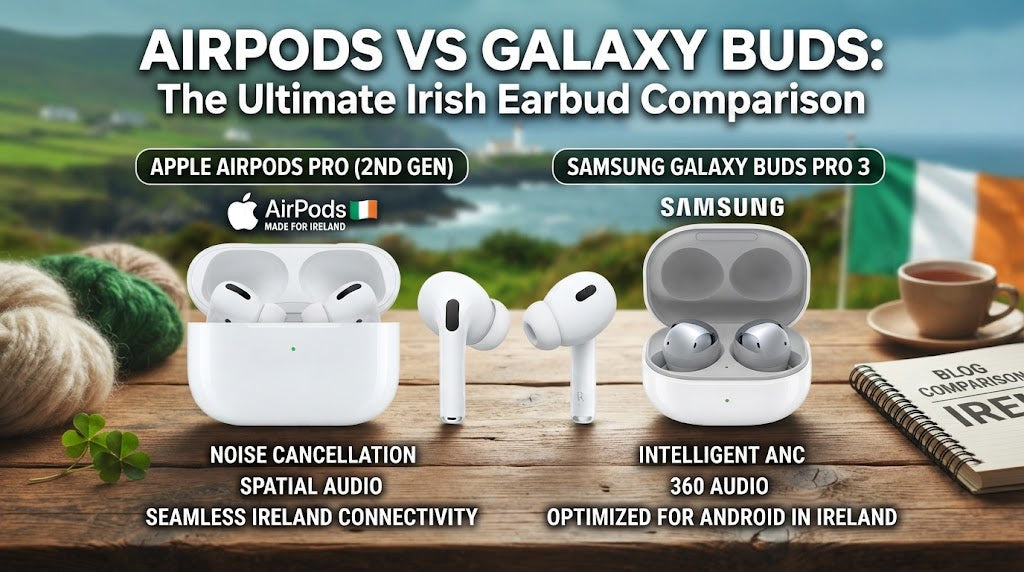
AirPods vs Galaxy Buds: Which Wireless Earbuds Should You Choose?
Author: SHAH ZAIB
Reviewed by: fonez4u2 Technical Team | Refurbished Smartphone Specialists
Last Updated: September 2026
Reading Time: 12–15 minutes
Choosing wireless earbuds is no longer simply about finding a pair that plays music. Modern earbuds can handle calls, commuting, workouts, podcasts, video calls and everyday listening, while features such as Active Noise Cancellation (ANC), transparency modes, better microphones and device-specific controls can make a noticeable difference.
Two of the biggest names in this category are Apple AirPods and Samsung Galaxy Buds. Both offer several models, but they are designed around slightly different device ecosystems and user needs.
For customers in Ireland, the choice becomes particularly relevant when buying earbuds to use with an iPhone, Samsung Galaxy phone or another Android device. Apple currently offers models including AirPods 4, AirPods 4 with Active Noise Cancellation and AirPods Pro 3, while Samsung's Ireland range includes Galaxy Buds4 Pro, Galaxy Buds4 and Galaxy Buds3 FE.
So, AirPods vs Galaxy Buds — which should you choose?
The answer depends less on the brand name and more on your smartphone, preferred fit, ANC requirements, call usage, sound preferences, battery needs and budget.
Quick Answer: AirPods or Galaxy Buds?
If you already use an iPhone, AirPods can be particularly convenient because Apple integrates them closely with its devices and services.
If you use a Samsung Galaxy smartphone, Galaxy Buds can provide a similarly integrated experience, with Samsung-specific controls and features.
For other Android phones, both brands can work, but the level of integration and available features can vary.
| Your priority | Consider |
|---|---|
| iPhone integration | AirPods |
| Samsung Galaxy integration | Galaxy Buds |
| Apple ecosystem | AirPods |
| Samsung ecosystem | Galaxy Buds |
| Everyday wireless listening | Either |
| Premium ANC | Compare the specific Pro/ANC models |
| Calls and meetings | Compare microphone performance and fit |
| Refurbished buying | Check battery, condition, hygiene and warranty |
| Best choice overall | Depends on your phone and requirements |
The important point is that there is no single pair that is automatically right for every customer.
AirPods vs Galaxy Buds: The Main Difference

The biggest difference between AirPods and Galaxy Buds is not necessarily sound quality. It is the ecosystem surrounding the earbuds.
AirPods are designed to work particularly well with Apple devices, while Galaxy Buds are designed to integrate closely with Samsung Galaxy smartphones.
That does not mean you cannot use AirPods with Android or Galaxy Buds with other phones. It simply means some features and controls may be more useful when the earbuds are paired with devices from the same ecosystem.
1. Apple AirPods Ecosystem
AirPods are closely connected to Apple's hardware and software environment.
Depending on the model and compatible device, users can benefit from features such as automatic device integration, Siri-related controls, Find My functionality, spatial audio and other Apple-specific features.
For someone already using an iPhone, this can make AirPods a natural choice.
2. Samsung Galaxy Buds Ecosystem
Galaxy Buds are similarly designed around Samsung Galaxy devices.
Samsung's current Galaxy Buds4 range includes features such as improved connectivity and Galaxy-device integration, while the Galaxy Buds4 Pro adds more advanced audio hardware and features. Samsung states that Galaxy Buds4 supports Samsung Seamless Codec and enhanced call features, while Buds4 Pro adds a two-way speaker, Dual Amplifier and additional features such as Voice Detect and Siren Detect.
This makes Galaxy Buds particularly relevant for customers already using Samsung Galaxy phones.
Current AirPods Models to Consider in 2026

Apple's current Ireland AirPods comparison page lists several generations and configurations, including AirPods 4, AirPods 4 with Active Noise Cancellation and AirPods Pro 3.
1. AirPods 4
AirPods 4 are aimed at customers who want a modern AirPods experience without necessarily choosing the Pro range.
They can suit everyday listening, calls, commuting and general smartphone use.
2. AirPods 4 with ANC
This version adds Active Noise Cancellation, making it more relevant for people who regularly travel, commute or work in noisy environments.
If ANC is important to you, make sure you compare the exact AirPods configuration rather than assuming all AirPods models include the same noise-control features.
3. AirPods Pro 3
AirPods Pro 3 sit at the premium end of Apple's current in-ear range.
Apple's Ireland product information highlights Active Noise Cancellation, heart-rate sensing during workouts and up to eight hours of battery life under specified conditions for AirPods Pro 3.
For customers considering premium Apple earbuds, this is a model worth comparing against Samsung's latest Galaxy Buds4 Pro.
Current Samsung Galaxy Buds Models to Consider in 2026

Samsung Ireland currently lists Galaxy Buds4 Pro, Galaxy Buds4 and Galaxy Buds3 FE in its current hearables range.
1. Galaxy Buds4
Galaxy Buds4 are designed for everyday listening while still offering advanced features.
Samsung states that Buds4 supports Samsung Seamless Codec up to 24-bit/96 kHz and includes Super Clear Call functionality. The earbuds are also designed for seamless pairing with compatible Galaxy devices running the required software.
2. Galaxy Buds4 Pro
Galaxy Buds4 Pro are positioned higher in Samsung's current range.
Samsung lists a two-way speaker and Dual Amplifier, along with Samsung Seamless Codec support and additional features such as Voice Detect and Siren Detect.
For customers looking for a premium Samsung option, Buds4 Pro is the direct type of product to compare with Apple's premium AirPods Pro range.
3. Galaxy Buds3 FE
Galaxy Buds3 FE provide another option within Samsung's current range for customers who do not necessarily need every premium feature.
They can be considered when comparing Samsung earbuds across different feature and budget levels.
AirPods vs Galaxy Buds: Compatibility

Compatibility should be one of the first things you check.
The earbuds may physically connect to different smartphones, but available features can vary depending on the phone, operating system and software support.
1. Using AirPods with iPhone
AirPods are designed around Apple devices, so an iPhone user can generally access the broadest AirPods experience.
This can include Apple-specific features and system-level integration that may not be available in the same way on Android.
If you are choosing a refurbished iPhone as well as earbuds, our guide to refurbished phones in Ireland can help you understand what to check before buying a refurbished device.
2. Using Galaxy Buds with Samsung Galaxy
Galaxy Buds make particular sense for Samsung Galaxy users.
Samsung's current Buds4 and Buds4 Pro models are built to integrate with compatible Galaxy devices, including settings and controls available through the Galaxy ecosystem.
Customers comparing earbuds alongside a Samsung phone can also explore our guide to the Best Samsung Phones to Buy in Ireland in 2026.
3. Using Either Brand with Other Android Phones
Android compatibility is more complicated than simply asking whether Bluetooth works.
Basic audio connectivity may be available, but advanced functions can depend on the specific model, app and operating system.
Before buying, check:
-
Smartphone operating system
-
Required companion app
-
Available firmware support
-
Advanced audio features
-
ANC controls
-
Device-specific features
-
Multipoint or device switching requirements
AirPods vs Galaxy Buds: Sound Quality

Sound quality is highly personal.
Two people can listen to the same earbuds and prefer different sound signatures. One person may want stronger bass, while another may prefer a more balanced presentation for podcasts and vocals.
Instead of focusing only on specifications, consider what you actually listen to.
1. Music
For music, look at:
-
Bass response
-
Vocal clarity
-
Treble detail
-
Soundstage
-
Equaliser controls
-
Codec support
-
Fit and seal
The fit matters because poor sealing can reduce bass and make outside noise more noticeable.
2. Podcasts and Audiobooks
For spoken-word content, clear mids and strong microphone performance may matter more than maximum bass.
If your main use is podcasts, commuting and phone calls, you may not need the most expensive model.
3. Movies and Streaming
Spatial audio and immersive audio features can be useful for compatible content.
However, compatibility depends on the device, operating system, application and earbuds.
The best approach is to check which features your existing phone actually supports before paying extra for them.
Active Noise Cancellation: AirPods vs Galaxy Buds

Active Noise Cancellation uses microphones and electronic processing to reduce certain external sounds.
It can be especially useful for:
-
Public transport
-
Flights
-
Busy offices
-
Cafés
-
University campuses
-
Shared workspaces
Apple currently offers ANC in selected AirPods models, while Samsung includes advanced noise-control features within its Galaxy Buds range.
1. ANC for Commuters
If you travel by bus or train regularly, ANC can make listening more comfortable.
However, do not choose earbuds based only on the presence of an ANC label. The effectiveness of noise cancellation also depends on the design and fit of the earbuds.
2. Transparency or Ambient Modes
Transparency-style modes allow some external sound through.
This can be useful when:
-
Walking outdoors
-
Talking to someone
-
Waiting for announcements
-
Working around other people
-
Listening while remaining aware of your surroundings
The exact terminology and functionality varies between Apple and Samsung models.
Fit and Comfort: Which Is Better?

There is no universal answer because everyone's ears are different.
AirPods and Galaxy Buds use different designs across their respective ranges. Some models have a more open-style fit, while others use silicone ear tips to create a more secure seal.
1. Ear Tip Size Matters
For in-ear models, the correct ear tip can affect:
-
Comfort
-
Bass response
-
Noise isolation
-
ANC performance
-
Stability during movement
Galaxy Buds4 Pro, for example, includes three sets of silicone ear tips in different sizes.
2. Comfort During Long Sessions
If you plan to wear earbuds for several hours a day, comfort should be treated as an important buying factor rather than an afterthought.
A technically impressive earbud is not useful if you find it uncomfortable after 30 minutes.
Battery Life and Charging

Battery life varies significantly between models.
Do not compare brands using only the largest advertised number. Check whether the figure refers to:
-
Earbuds only
-
Earbuds plus charging case
-
ANC on or off
-
Music playback
-
Talk time
-
Specific testing conditions
Samsung's current Galaxy Buds comparison information, for example, gives different battery figures depending on ANC settings and whether the charging case is included.
1. Charging Case
The charging case is an important part of the wireless-earbud experience.
A good case should be:
-
Compact
-
Easy to carry
-
Reliable
-
Compatible with the appropriate charging method
-
Able to provide additional charging cycles
2. USB-C Charging
USB-C has become increasingly important across modern mobile accessories.
If you are buying a new charger or replacing an older charging setup, our guide How to Choose the Right Phone Charger can help explain USB-C, charging standards and compatibility.
Microphone and Call Quality

Wireless earbuds are increasingly used for work calls, WhatsApp calls, video meetings and everyday conversations.
Microphone quality therefore matters almost as much as speaker quality.
1. Phone Calls
A good pair should provide clear voice pickup in normal environments.
But performance can change in:
-
Wind
-
Busy streets
-
Public transport
-
Cafés
-
Offices
-
Crowded spaces
Apple and Samsung both market advanced voice and call features on selected current models. Samsung specifically highlights Super Clear Call on Galaxy Buds4 and Buds4 Pro.
2. Video Meetings
If you regularly use Microsoft Teams, Zoom, Google Meet or other meeting platforms, microphone performance deserves attention.
Your phone's microphone processing and the meeting application can also influence the final result, so earbuds should not be judged in isolation.
AirPods vs Galaxy Buds for Different Users
The right choice changes depending on how you use your phone.
| User type | What to prioritise | Starting point |
|---|---|---|
| iPhone user | Apple integration and convenience | AirPods |
| Samsung Galaxy user | Galaxy ecosystem integration | Galaxy Buds |
| Commuter | ANC, fit and battery | ANC model |
| Office worker | Calls, comfort and connectivity | Compare current mid/premium models |
| Student | Comfort, battery and value | Mid-range option |
| Frequent traveller | ANC, battery and case size | Premium ANC model |
| Fitness user | Secure fit and resistance rating | Sport-friendly model |
| Podcast listener | Voice clarity and comfort | Comfortable everyday model |
| Refurbished buyer | Condition, battery and warranty | Carefully checked previous-generation model |
This table is a starting point rather than a ranking. The most suitable option depends on your individual requirements.
AirPods vs Galaxy Buds for iPhone Users
If you own an iPhone, AirPods are the most obvious products to investigate first because they are built around Apple's ecosystem.
That does not mean Galaxy Buds are automatically unsuitable.
The key question is whether you need Samsung-specific features or simply want reliable Bluetooth audio.
If your priority is straightforward listening, calls and portability, compare the individual models rather than choosing purely by brand.
AirPods vs Galaxy Buds for Samsung Users
For Samsung Galaxy users, Galaxy Buds can provide deeper integration with compatible Galaxy devices.
Samsung's current Buds4 range includes device-level controls and connectivity features designed around Galaxy phones.
If you already own a Galaxy smartphone, it makes sense to compare the current Galaxy Buds range before considering other brands.
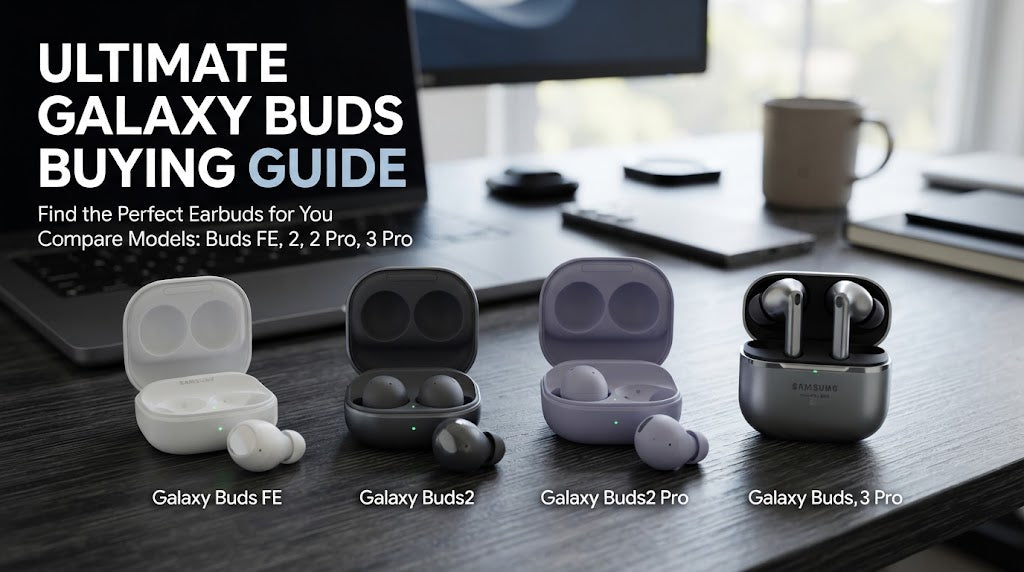
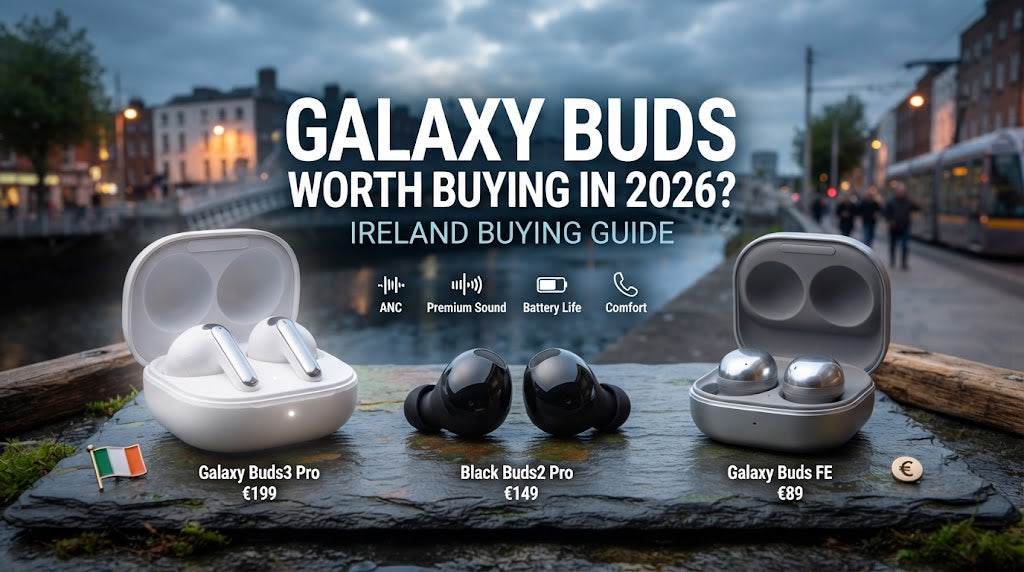
Our Samsung Galaxy Buds Buying Guide also covers ANC, sound quality, comfort, battery life, calls and what to check when buying Galaxy Buds.
AirPods vs Galaxy Buds for Refurbished Buyers
Buying refurbished earbuds requires slightly different checks from buying a brand-new pair.
Wireless earbuds contain small batteries that naturally lose capacity over time. For that reason, the condition of the earbuds and charging case matters.
1. Check Battery Condition
Ask whether the seller has tested:
-
Earbud charging
-
Charging-case performance
-
Playback
-
Left/right battery consistency
-
Charging contacts
2. Check Hygiene and Physical Condition
Earbuds are worn directly in or around the ears, so cleanliness matters.
A reputable refurbished seller should explain how used earbuds are inspected, cleaned and prepared for resale.
3. Check Accessories
Confirm whether the package includes:
-
Charging case
-
Correct ear tips where applicable
-
Required accessories
-
Compatible charging equipment
-
Original or suitable packaging where advertised
4. Check Warranty and Returns
Before purchasing refurbished earbuds, check the seller's warranty and returns policy.
In Ireland, consumer rights apply to goods bought from a business whether they are new or second-hand. The CCPC states that goods should be of good quality and as described, and online purchases generally have a 14-day cooling-off period, subject to applicable exceptions.
How Much Should You Spend on Wireless Earbuds?
There is no universal price point that guarantees the right experience.
Instead, think about the features you genuinely need.
1. Entry-Level and Value Models
These can be suitable if you mainly want:
-
Wireless music
-
Podcasts
-
Calls
-
Basic portability
-
Reliable everyday use
2. Mid-Range Models
Mid-range earbuds can offer a better balance between:
-
Sound quality
-
ANC
-
Battery
-
Comfort
-
Call quality
-
Device compatibility
3. Premium Models
Premium earbuds generally make more sense when you specifically want advanced features such as stronger ANC, more sophisticated audio hardware, premium microphones or deeper ecosystem integration.
Do not pay for features you are unlikely to use.
AirPods vs Galaxy Buds: What Should You Check Before Buying in Ireland?

Before ordering wireless earbuds online, check the following.
1. Confirm the Exact Model
AirPods and Galaxy Buds names can be confusing because several generations and configurations exist.
Check the exact:
-
Model name
-
Generation
-
ANC version
-
Charging-case version
-
Connectivity features
2. Check Smartphone Compatibility
Make sure the earbuds support the phone you intend to use.
3. Check Return and Warranty Terms
This is particularly important for refurbished products.
4. Check Seller Information
The CCPC advises consumers to research businesses when shopping online and to check that sellers provide appropriate contact information and clear product information.
5. Avoid Choosing Only on Price
The cheapest pair is not necessarily the best fit for your needs.
Consider total value across:
-
Condition
-
Battery
-
Warranty
-
Features
-
Compatibility
-
Return policy
-
Seller reputation
Common Mistakes When Choosing AirPods or Galaxy Buds

1. Choosing by Brand Alone
Apple and Samsung both make different types of earbuds.
Compare the actual model rather than only the logo.
2. Ignoring Compatibility
Some advanced features may depend on using compatible devices.
3. Assuming All Models Have ANC
ANC is model-specific.
Always verify the exact configuration.
4. Ignoring Fit
Poor fit can affect comfort, sound and noise isolation.
5. Comparing Battery Numbers Without Reading the Conditions
Battery claims can refer to different usage conditions.
Check whether ANC is enabled and whether the figure includes the charging case.
6. Buying Refurbished Without Checking Battery Condition
Battery health is particularly important for older wireless earbuds.
7. Forgetting the Charging Setup
Before buying, check which charging connector or charging method your chosen model uses.
How We Assess Wireless Earbuds
At fonez4u2, wireless earbuds should be considered as complete products rather than judged on specifications alone.
A practical assessment can include:
-
Physical condition inspection
-
Earbud and charging-case inspection
-
Charging test
-
Playback test
-
Left/right channel test
-
Bluetooth connection test
-
Microphone and call test
-
ANC and transparency-mode checks where available
-
Button/touch-control checks
-
Battery performance assessment
-
Accessory and ear-tip inspection
-
Hygiene and cleaning checks
For refurbished products, the condition of both earbuds and the charging case is particularly important.
AirPods vs Galaxy Buds Buying Checklist
Before purchasing, ask yourself:
-
Do I use an iPhone or Android phone?
-
Do I use a Samsung Galaxy smartphone?
-
Do I need ANC?
-
How important is call quality?
-
Will I wear the earbuds for several hours?
-
Do I prefer open-style or in-ear designs?
-
How important is battery life?
-
Do I need wireless charging?
-
Am I buying new or refurbished?
-
Has the battery been checked?
-
Is the charging case included?
-
Are the correct ear tips included?
-
Is there a warranty?
-
What is the returns policy?
-
Does the exact model support my phone?
If you can answer these questions, it becomes much easier to narrow down your options.
Frequently Asked Questions
1. Are AirPods better than Galaxy Buds?
Neither brand is automatically better for every user. AirPods can be particularly convenient for iPhone users, while Galaxy Buds can offer strong integration with Samsung Galaxy smartphones.
2. Can Galaxy Buds work with an iPhone?
Compatibility depends on the Galaxy Buds model and available features. Basic Bluetooth audio may work, but some Samsung-specific functions may not be available in the same way on an iPhone.
3. Can AirPods work with Samsung phones?
Yes, AirPods can be used as Bluetooth earbuds with compatible Android devices, but some Apple-specific features may not be available.
4. Which is better for Samsung phones: AirPods or Galaxy Buds?
Galaxy Buds are designed specifically around the Samsung Galaxy ecosystem, so Samsung users should compare the current Galaxy Buds models and their compatible features.
5. Which is better for iPhone: AirPods or Galaxy Buds?
AirPods are designed for close integration with Apple's ecosystem, making them a natural option for iPhone users.
6. Do all AirPods have Active Noise Cancellation?
No. ANC is only available on selected AirPods models. Apple currently distinguishes between standard AirPods configurations and ANC-equipped models.
7. Do all Galaxy Buds have ANC?
No. Features vary by Galaxy Buds model. Always check the exact model before buying.
8. Which is better for phone calls?
Both brands offer models with advanced microphone and call-processing features. Actual performance depends on the specific model, environment, phone and fit.
9. Which earbuds are better for commuting?
An ANC-equipped model from either brand can be useful for commuting. Fit and noise-cancellation performance are more important than choosing purely by brand.
10. Are Galaxy Buds good for iPhone users?
They can be used with iPhones, but users should check which features and controls are supported by the specific Galaxy Buds model.
11. Are AirPods good for Android users?
AirPods can provide Bluetooth audio on Android devices, but Apple-specific integration and some advanced features may not be available.
12. Which has better battery life, AirPods or Galaxy Buds?
Battery life varies by model and usage conditions. Compare the exact earbuds using the manufacturer's stated playback and talk-time figures rather than comparing the brands generally.
13. Are refurbished AirPods worth considering?
They can be worth considering when sold by a reputable business that checks battery condition, charging, cleanliness, functionality and accessories.
14. Are refurbished Galaxy Buds worth buying?
They can be an option for customers who want a lower-cost route into the Galaxy Buds ecosystem, provided the earbuds have been properly inspected, cleaned and tested.
15. What should I check when buying refurbished earbuds?
Check battery performance, charging, sound, microphone, Bluetooth connectivity, physical condition, hygiene, accessories, warranty and returns policy.
16. Do AirPods and Galaxy Buds use USB-C?
Charging arrangements vary by generation and model. Check the exact charging case before buying, especially if you want to use your existing USB-C charging setup.
17. Are wireless earbuds good for workouts?
Many models can work well for exercise, but fit and the manufacturer's stated water or sweat resistance are important. Do not assume that every earbud model is suitable for heavy exposure to water.
18. Do more expensive earbuds always sound better?
Not necessarily. Sound preference is subjective, and fit, tuning, source quality and personal listening preferences all influence the experience.
19. Should I buy AirPods or Galaxy Buds with my refurbished phone?
Choose earbuds based primarily on the smartphone ecosystem you use. iPhone users may prefer the AirPods ecosystem, while Samsung Galaxy users may prefer Galaxy Buds integration.
20. What is the most important thing to check before buying wireless earbuds?
Check compatibility with your phone first. After that, focus on fit, sound, ANC requirements, battery, call quality, condition, warranty and returns.
Final Thoughts
The choice between AirPods vs Galaxy Buds ultimately comes down to the devices you already use and the features that matter most to you.
For an iPhone user, AirPods can provide a convenient Apple-focused experience. For a Samsung Galaxy user, Galaxy Buds can provide deeper integration with the Galaxy ecosystem.
The current 2026 ranges give customers several options rather than one simple winner. Apple offers AirPods models including AirPods 4, AirPods 4 with ANC and AirPods Pro 3, while Samsung's Ireland range includes Galaxy Buds4, Galaxy Buds4 Pro and Galaxy Buds3 FE.
If you are buying refurbished earbuds, look beyond the model name. Battery condition, charging performance, cleanliness, physical condition, accessories, warranty and returns can have a major impact on the value of your purchase.
The best wireless earbuds are therefore the ones that match your smartphone, listening habits, comfort preferences and budget.
About fonez4u2

fonez4u2 is part of Fonez4u Limited, the Sim Free Specialist, serving customers in Ireland with SIM-free phones, tablet and phone accessories, device repair and phone unlocking services.
Business Details:
-
Business: Fonez4u Limited – The Sim Free Specialist
-
Shop Address: 2 Eyre Square, Galway, H91 PT3F
-
Phone: 085 1330999
-
WhatsApp: 085 1330999
Whether you are looking for refurbished smartphones, wireless earbuds, phone accessories, device repair or phone unlocking, fonez4u2 provides customers with mobile technology options in Ireland.
Sources & Verification
The technical and consumer-rights information in this guide should be checked against current manufacturer and Irish consumer-protection information before publication.
-
Apple Ireland: Current AirPods models and feature comparisons.
-
Samsung Ireland: Current Galaxy Buds range and model-specific features.
-
CCPC Ireland: Consumer rights for online, new and second-hand purchases.

Leave a comment
This site is protected by hCaptcha and the hCaptcha Privacy Policy and Terms of Service apply.