
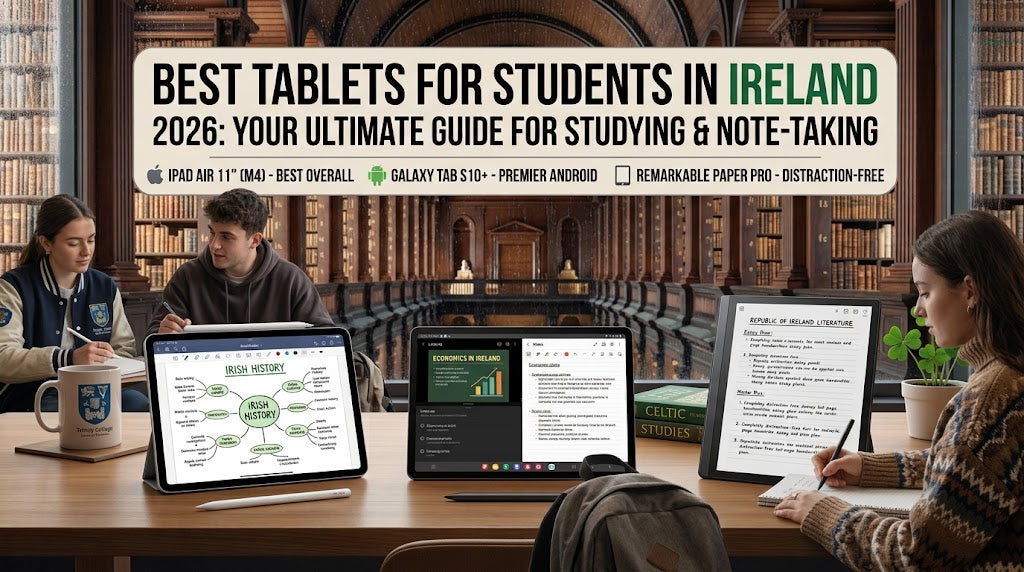
Best Tablets for Students in Ireland in 2026
Author: SHAH ZAIB
Reviewed by: fonez4u2 Technical Team | Refurbished Smartphone & Tablet Specialists
Last Updated: September 2026
Reading Time: 12–15 minutes
Quick Answer
The best tablet for students in Ireland in 2026 depends on what you study, how you take notes, which devices you already own and how much you want to spend.
For many students, an Apple iPad is a practical choice for reading lecture notes, annotating PDFs, attending online classes, browsing academic resources and taking handwritten notes with Apple Pencil. The current iPad 11-inch (A16) offers 128GB, 256GB and 512GB storage options and supports Apple Pencil USB-C. Apple lists the Wi-Fi model at 477g, making it relatively portable for carrying between lectures, libraries and home.
Samsung offers a different approach. The Galaxy Tab S10 FE has a 10.9-inch display, S Pen support and microSD expansion up to 2TB on compatible configurations. Samsung also lists up to 20 hours of video playback under its stated testing conditions.
For students, however, the newest or most powerful tablet is not automatically the right one. A good student tablet should balance display quality, portability, battery life, storage, note-taking, software compatibility and overall cost.
If you are still comparing different tablet types, our detailed Best Tablets to Buy in Ireland in 2026 guide is a useful starting point before choosing a specific model.
Key Takeaways
-
An 11-inch-class tablet is a practical size for most students.
-
Apple iPad and Samsung Galaxy Tab offer different software ecosystems and accessory options.
-
A stylus can be extremely useful for handwritten notes, diagrams and PDF annotation.
-
128GB can be sufficient for many students, while heavier users may benefit from 256GB or more.
-
Samsung Galaxy Tab models with microSD support provide additional storage flexibility.
-
Students who already own an iPhone may prefer the Apple ecosystem, while Galaxy users may prefer Samsung's Android experience.
-
A keyboard becomes more useful if you regularly write essays, reports or long emails.
-
Wi-Fi is sufficient for many students, while cellular connectivity can help if you frequently study away from reliable Wi-Fi.
-
Refurbished tablets can be worth considering when condition, battery health, warranty and returns are clearly established.
-
Your course requirements should come before specifications or marketing claims.
Best Tablets for Students in Ireland at a Glance

| Tablet Option | Best For | Student-Friendly Features |
|---|---|---|
| Apple iPad 11-inch (A16) | General university use | Apple Pencil support, 128GB+ storage, portable design |
| Samsung Galaxy Tab S10 FE | Notes and Android users | S Pen support, microSD expansion, 10.9-inch display |
| Apple iPad 9th Generation Grade A | Budget-conscious iPad users | iPad experience with refurbished Grade A option |
| Apple iPad 9th Generation New | Students wanting a new iPad | iPadOS and Apple Pencil-compatible workflow |
| Apple iPad 11th Generation | Students wanting a newer iPad | A16 performance and modern USB-C setup |
Availability, condition and stock can change, so always check the individual product listing before purchasing.
Why Should Students Buy a Tablet?

A tablet can fill the gap between a smartphone and a laptop.
Your phone is excellent for quick research, messages and everyday tasks, but reading a 30-page academic paper on a smartphone is rarely comfortable.
A laptop gives you more traditional productivity features, but carrying one between lectures, accommodation, the library and home can become inconvenient.
A tablet provides a middle ground.
Students can use one device for:
-
Reading lecture slides
-
Annotating PDFs
-
Taking handwritten notes
-
Watching recorded lectures
-
Joining online classes
-
Researching assignments
-
Checking university emails
-
Reading eBooks
-
Browsing academic websites
-
Creating presentations
-
Managing calendars
-
Watching educational videos
-
Organising study material
This is why tablets have become particularly useful for students who need a lightweight device that can move easily between different study environments.
However, a tablet should not automatically be considered a laptop replacement. Students studying programming, engineering, advanced data analysis, specialist design or other subjects that require desktop software may still need a laptop or desktop computer.
What Should Students Look for in a Tablet?
1. Display Size and Quality
The display is one of the most important parts of a student tablet.
An approximately 10–11-inch screen provides a useful balance between portability and workspace. It is large enough for reading documents and lecture slides while remaining manageable in a backpack.
The current iPad 11-inch has a Liquid Retina display with a 2360 × 1640 resolution, 264 pixels per inch, True Tone and up to 500 nits brightness.
Samsung's Galaxy Tab S10 FE has a 10.9-inch display with a 2304 × 1440 resolution.
When comparing tablets, consider:
-
Screen size
-
Resolution
-
Brightness
-
Display technology
-
Viewing comfort
-
Stylus compatibility
-
Refresh rate
If you regularly spend hours reading academic documents, display comfort can be more important than simply choosing the largest screen.
2. Stylus Support
For students, stylus compatibility can completely change how useful a tablet feels.
Instead of typing everything, you can write directly on the display, highlight a PDF, draw diagrams or work through equations.
Apple's current iPad 11-inch supports Apple Pencil USB-C, while the Galaxy Tab S10 FE supports S Pen.
A stylus can be particularly useful for:
-
Lecture notes
-
Mathematics
-
Diagrams
-
Biology and medical notes
-
Engineering sketches
-
PDF annotation
-
Mind maps
-
Highlighting
-
Quick handwritten reminders
However, check whether the compatible pen is included with the tablet or needs to be purchased separately.
For Apple users, the Apple Pencil USB-C can be especially relevant when building a note-taking setup around a compatible iPad.
3. Storage
Storage is easy to underestimate.
A student might begin university thinking that 128GB is more than enough, only to accumulate PDFs, recorded lectures, photographs, applications and other files over several years.
Apple's current iPad 11-inch is available in 128GB, 256GB and 512GB capacities.
Samsung's Galaxy Tab S10 FE provides another approach because compatible models support microSD cards up to 2TB.
A simple guideline is:
128GB: Suitable for many students using cloud storage.
256GB: More comfortable for students keeping substantial files locally.
512GB+: More relevant for creative work, large offline libraries and heavier storage requirements.
Do not automatically pay for more storage if you do not need it.
4. Battery Life
Students can spend long periods away from home.
A typical day could involve:
-
Morning lecture
-
Library study
-
Afternoon class
-
Group project
-
Travel home
-
Evening revision
A tablet that can comfortably handle your typical day is more useful than one that requires constant charging.
Samsung lists up to 20 hours of video playback for Galaxy Tab S10 FE under its specified testing conditions.
Real-world battery life will vary depending on brightness, applications, network connectivity and usage.
Therefore, manufacturer figures should be treated as reference points rather than guaranteed everyday results.
5. Performance
Students do not necessarily need the most powerful tablet available.
For normal university work, you may primarily need:
-
Web browsing
-
PDF reading
-
Note-taking
-
Video calls
-
Email
-
Office applications
-
Cloud storage
-
Streaming
-
Multitasking
More demanding performance becomes important for students doing:
-
Video editing
-
3D modelling
-
Professional illustration
-
Advanced creative work
-
Large multitasking workloads
The goal should be to buy enough performance for your actual course rather than paying for specifications you will rarely use.
Best Tablet for General Students: Apple iPad 11-inch

The Apple iPad 11-inch (A16) is a strong general-purpose option for students who want a modern iPad experience for study, browsing, note-taking and entertainment.
Apple lists the current model with 128GB, 256GB and 512GB storage options. It also supports Apple Pencil USB-C and uses USB-C connectivity.
1. Why the iPad Works for Students
An iPad can work particularly well for students who already use an iPhone or Mac.
The ecosystem can make it easier to maintain a familiar workflow across devices, while the tablet itself can be used for:
-
Lecture notes
-
PDFs
-
Research
-
Online learning
-
Presentations
-
Email
-
Reading
-
General productivity
The current A16 iPad also has a landscape 12MP Center Stage front camera, which can be useful for video calls and online learning.
For students considering an iPad purchase, the Apple iPad 11th Generation available from fonez4u2 is worth comparing against other options based on storage, condition, warranty and your expected study workload.
2. Do You Need Apple Pencil?
If your main reason for buying a tablet is handwritten notes, a compatible Apple Pencil should be part of the buying decision.
If you mainly type assignments, browse websites and watch lectures, you may not need one.
This is an important point because the real cost of a student setup includes accessories, not just the tablet itself.
Best Samsung Tablet for Students: Galaxy Tab S10 FE

The Samsung Galaxy Tab S10 FE is designed around a different set of priorities.
Samsung lists a 10.9-inch display, S Pen support and microSD expansion up to 2TB. The Wi-Fi model is listed at 497g.
1. Why Students May Choose the Galaxy Tab S10 FE
The included S Pen support is particularly relevant for students who prefer handwritten notes.
Samsung also highlights apps including Goodnotes, LumaFusion, Clip Studio Paint, Noteshelf, Sketchbook and Picsart for the Galaxy Tab S10 FE range.
This means the tablet can potentially serve as:
-
Digital notebook
-
PDF reader
-
Lecture device
-
Creative tool
-
Entertainment device
-
General productivity device
2. Expandable Storage
Expandable storage is one of the major differences worth considering.
If you download large lecture recordings, documents, photographs or other study files, microSD support can provide additional flexibility.
The Galaxy Tab S10 FE supports microSD expansion up to 2TB according to Samsung's listed specifications.
iPad vs Samsung Galaxy Tab for Students

Both platforms can work well for education, but they approach the experience differently.
| Feature | iPad | Samsung Galaxy Tab |
|---|---|---|
| Operating system | iPadOS | Android |
| Stylus | Apple Pencil on compatible models | S Pen on compatible models |
| Storage | Internal storage | Internal + microSD on compatible models |
| Ecosystem | Apple | Samsung/Android |
| Note-taking | Strong | Strong |
| PDF annotation | Strong | Strong |
| Connectivity options | Wi-Fi / Cellular depending on model | Wi-Fi / 5G depending on model |
| Existing phone integration | Useful with iPhone | Useful with Galaxy phones |
If you want a more detailed comparison before making your decision, read our iPad vs Samsung Galaxy Tab: Which Tablet Should You Buy? guide. It covers display, productivity, note-taking, storage, connectivity and refurbished buying considerations in greater detail.
Best iPad Options for Students on a Budget

Students do not necessarily need the newest iPad.
A previous-generation iPad can still be useful if it supports the applications, accessories and software updates you require.
This is where refurbished devices can become interesting.
For example, fonez4u2 has previously listed different iPad options, including the Apple iPad 9th Generation Grade A and Apple iPad 9th Generation New.
A Grade A refurbished iPad can be particularly relevant for a student who wants an iPad-based study setup but wants to consider an alternative to buying the newest generation.
The key is not to assume that every refurbished tablet is the same. Check:
-
Condition
-
Battery health
-
Storage
-
Screen
-
Touch response
-
Charging
-
Warranty
-
Return policy
-
Included accessories
Best Tablet for Taking University Notes

If you intend to use a tablet primarily as a digital notebook, stylus support should be one of your first considerations.
A good student note-taking setup should allow you to:
-
Write naturally
-
Highlight text
-
Annotate PDFs
-
Draw diagrams
-
Organise notes by subject
-
Search digital notes
-
Export documents
-
Sync notes across devices
Students studying subjects such as mathematics, medicine, science, engineering, architecture and design may particularly benefit from handwritten digital notes.
On the other hand, students who mainly write essays may benefit more from a keyboard.
Best Tablet for Reading PDFs and Lecture Slides

Academic reading is one of the strongest use cases for a tablet.
Instead of carrying printed lecture notes and research papers, students can keep documents in one portable device.
Look for:
-
Comfortable display
-
Good brightness
-
Suitable screen size
-
Reliable battery life
-
Enough storage
-
PDF annotation support
-
Lightweight design
An 11-inch-class tablet can be a useful compromise between reading space and portability.
Best Tablet for Students on a Budget

If you are working with a limited student budget, avoid starting with a specific model.
Start with the tasks.
Ask:
What do I actually need the tablet to do?
If the answer is mainly PDF reading, note-taking, browsing and online lectures, you may not need a premium tablet.
If you need advanced creative applications, video editing or specialist software, spending more may be justified.
1. Consider Previous-Generation Tablets
Older models can still be useful when they meet your requirements.
Check:
-
Software compatibility
-
Performance
-
Battery condition
-
Storage
-
Stylus compatibility
-
Warranty
2. Consider Refurbished Tablets
Refurbished can be an effective way to access a tablet at a potentially lower upfront cost.
Our guide Are Refurbished Phones Worth Buying in Ireland? 2026 Guide explains the wider refurbished buying process, including why condition, testing, warranty and seller reputation matter.
The same principles apply when considering a refurbished tablet.
3. Compare Total Cost
Do not compare tablet prices alone.
Your student setup may also require:
-
Stylus
-
Keyboard
-
Case
-
Screen protector
-
Charger
-
Storage card
The cheapest tablet can become much less attractive once necessary accessories are added.
Wi-Fi or 5G: Which Should Students Choose?
For many students, Wi-Fi is enough.
You may already have Wi-Fi at:
-
University
-
Library
-
Home
-
Student accommodation
-
Cafés
A cellular or 5G model becomes more useful if you frequently study away from reliable Wi-Fi.
For example, a student who spends several hours travelling and uses the tablet for online research may value cellular connectivity more than someone who mainly studies at home and on campus.
Do not pay extra for cellular connectivity unless your actual usage justifies it.
Do Students Need a Keyboard?
Not necessarily.
A keyboard is most useful for students who regularly:
-
Write essays
-
Create reports
-
Type emails
-
Edit documents
-
Work with spreadsheets
-
Prepare presentations
A stylus is more useful for:
-
Handwritten notes
-
Diagrams
-
PDF annotation
-
Mathematical work
Some students will benefit from both, while others can comfortably use a tablet without either accessory.
How Much Storage Does a Student Need?

128GB
A sensible starting point for students who:
-
Use cloud storage
-
Stream content
-
Download limited files
-
Mainly use productivity apps
256GB
A useful middle ground for students who:
-
Keep many PDFs
-
Download lectures
-
Store photographs
-
Use larger applications
-
Keep files offline
512GB or More
More relevant for students working with:
-
Video
-
Large creative projects
-
Extensive offline libraries
-
Professional applications
If you choose a compatible Samsung Galaxy Tab, microSD expansion can provide another way to increase storage later.
Should Students Buy a Refurbished Tablet?

Yes, a refurbished tablet can be worth considering, but the condition and seller are extremely important.
A good refurbished device should be evaluated beyond cosmetic appearance.
Before purchasing, check:
-
Battery condition
-
Display
-
Touchscreen
-
Charging port
-
Cameras
-
Speakers
-
Wi-Fi
-
Bluetooth
-
Buttons
-
Storage
-
Account-lock status
-
Warranty
-
Return policy
-
Exact model number
This is particularly important for students because reliability matters during assignments, presentations and examination periods.
If you are new to refurbished technology, our Refurbished Phones in Ireland: What to Check Before You Buy guide provides a useful checklist that can also help when evaluating refurbished tablets.
What We Assess When Choosing Student Tablets
At fonez4u2, a student-focused tablet should be assessed around real-world study requirements rather than specifications alone.
1. Display
We consider whether the screen is suitable for reading documents, presentations and lecture material.
2. Performance
The tablet should comfortably handle the applications relevant to the student's workload.
3. Note-Taking
Stylus compatibility and handwriting support can be important for students.
4. Battery
Students often spend long periods away from a charger, so battery endurance matters.
5. Storage
We consider whether the available storage suits the expected use.
6. Portability
A tablet should be comfortable enough to carry between lectures, home and the library.
7. Connectivity
Wi-Fi may be enough for some students, while others may need cellular connectivity.
8. Accessories
We consider whether a stylus, keyboard or protective case is necessary for the intended workflow.
9. Condition
For refurbished models, physical and functional condition should be clearly assessed.
10. Long-Term Use
A student may use the same tablet for several academic years, so software support, compatibility and overall condition should be considered.
Common Mistakes Students Make When Buying a Tablet

1. Choosing Only by Price
The cheapest tablet may not offer the best overall student experience.
2. Forgetting Accessory Costs
A tablet that requires a stylus or keyboard can have a higher total setup cost.
3. Buying Too Little Storage
Academic files can accumulate quickly.
4. Assuming Every Course Works on a Tablet
Some university courses require specialist desktop software.
5. Ignoring Battery Condition
This is particularly important when buying refurbished.
6. Buying the Wrong Model
Always check the exact:
-
Generation
-
Storage
-
Connectivity
-
Model number
-
Screen size
7. Ignoring Warranty and Returns
A student should know what protection is available before ordering.
New vs Refurbished Tablets for Students

Both can make sense.
| Consideration | New | Refurbished |
|---|---|---|
| Condition | New | Previously used/reconditioned |
| Initial cost | Usually higher | May be lower |
| Model selection | Mainly newer models | Depends on stock |
| Battery | New | Should be checked |
| Warranty | Depends on seller | Depends on seller |
| Best suited to | Students wanting a new device | Students focused on value |
A refurbished tablet should not simply be chosen because it is cheaper.
The condition, battery, warranty, return terms and exact specification are equally important.
Best Student Tablet by Use Case
| Student Requirement | Tablet Type to Consider |
|---|---|
| General study | iPad 11-inch / Galaxy Tab |
| Handwritten notes | iPad + Apple Pencil / Galaxy Tab + S Pen |
| PDF reading | 10–11-inch tablet |
| Essay writing | Tablet + keyboard |
| Creative work | Higher-performance tablet |
| Budget Apple setup | Refurbished iPad |
| Expandable storage | Compatible Galaxy Tab |
| Mobile internet | Cellular/5G model |
| Entertainment + study | iPad or Galaxy Tab |
The table is a starting point rather than a ranking. Your course and existing devices should determine the final choice.
Student Tablet Buying Checklist
Before ordering, ask:
-
What will I use the tablet for?
-
Do I need handwritten notes?
-
Do I need a stylus?
-
Do I need a keyboard?
-
How much storage do I need?
-
Do I already use an iPhone?
-
Do I already use a Samsung Galaxy phone?
-
Do I need cellular connectivity?
-
Does my university require specialist software?
-
What screen size do I prefer?
-
How much can I spend on accessories?
-
Am I comfortable buying refurbished?
-
What is the battery condition?
-
What warranty is provided?
-
What is the return policy?
Answering these questions first can help prevent an expensive buying mistake.
Tablet Accessories Students Should Consider

Stylus
Useful for handwritten notes, diagrams and PDF annotation.
For compatible iPad models, the Apple Pencil USB-C can be considered as part of the overall study setup.
Keyboard
Useful for essays, reports, emails and long-form typing.
Protective Case
A good case can be useful when carrying a tablet between lectures and home.
Screen Protector
Can provide additional protection against scratches, although compatibility with the display and stylus should be checked.
Charger
A spare USB-C charger can be useful for keeping one at home and another in your study bag.
Stand
Useful for online lectures, video calls and using a tablet with a keyboard.
Students do not necessarily need every accessory. Choose according to your actual study habits.
Frequently Asked Questions
1. What is the best tablet for students in Ireland in 2026?
Popular options include the Apple iPad 11-inch and Samsung Galaxy Tab S10 FE. The right choice depends on your course, note-taking requirements, storage needs and preferred ecosystem.
2. Is an iPad good for university students?
Yes. An iPad can be used for reading, PDF annotation, note-taking, research, online classes and general productivity.
3. Is Samsung Galaxy Tab good for students?
Yes. Compatible Galaxy Tab models offer features such as S Pen support and expandable storage that can be useful for students.
4. Do I need a stylus for university?
No. A stylus is particularly useful for handwritten notes, diagrams and annotation, but it is not essential for every student.
5. Is 128GB enough for a student?
For many students, yes. Those who keep large numbers of files, videos or creative projects locally may prefer more storage.
6. Is 256GB better for students?
It provides more storage headroom and can be useful if you keep many files offline.
7. Should I buy a Wi-Fi or 5G tablet?
Wi-Fi is enough for many students. Cellular connectivity can be useful if you frequently study away from reliable Wi-Fi.
8. Can a tablet replace a laptop at university?
Sometimes, but not always. Course-specific software requirements should be checked before relying on a tablet as your only computer.
9. Are refurbished tablets worth buying?
They can be, provided the device is properly assessed and the seller clearly explains condition, warranty and returns.
10. What should I check before buying a refurbished tablet?
Check battery condition, screen, touchscreen, charging, cameras, speakers, connectivity, storage, account locks, warranty and returns.
11. Is an iPad good for handwritten notes?
Yes. Compatible iPads support Apple Pencil, making them suitable for handwritten notes and PDF annotation.
12. Is Samsung S Pen good for students?
S Pen support can be useful for handwriting, diagrams and PDF annotation on compatible Galaxy Tab models.
13. What screen size is best for students?
Around 10–11 inches is a practical choice for many students because it balances workspace and portability.
14. Do I need a keyboard for university?
Not necessarily. It is most useful if you regularly type essays, reports or long documents.
15. How much should a student spend on a tablet?
There is no single correct budget. Start with your course requirements and compare devices that meet those requirements.
16. Should I buy an older iPad?
An older iPad can be a sensible choice if it still supports your required applications, accessories and software and is in good condition.
17. Do Samsung tablets support microSD cards?
Selected Samsung Galaxy Tab models do. Samsung lists microSD support up to 2TB for the Galaxy Tab S10 FE.
18. Can I use a tablet for online lectures?
Yes. Modern tablets can handle video calls, recorded lectures and educational applications when the required software is supported.
19. Can I read university PDFs on a tablet?
Yes. Tablets are particularly convenient for reading, highlighting and annotating digital documents.
20. What is the most important thing to check before buying a student tablet?
Start with your actual study requirements. Check software compatibility, display, storage, stylus or keyboard support, battery, connectivity, condition and warranty.
Final Thoughts
The best tablet for students in Ireland in 2026 is not necessarily the newest or most expensive device.
For most students, the important factors are display quality, portability, battery life, storage, note-taking support, software compatibility and overall reliability.
The Apple iPad 11-inch is a strong option for students who prefer Apple's ecosystem and Apple Pencil compatibility. The Samsung Galaxy Tab S10 FE offers another student-friendly approach with S Pen support, a 10.9-inch display and expandable storage.
Students on a tighter budget should also consider previous-generation or refurbished tablets, provided they carefully check battery condition, storage, compatibility, warranty and returns.
Most importantly, choose according to how you actually study. A student who mainly reads PDFs and takes handwritten notes has different requirements from someone who writes long essays, edits video or uses specialist software.
Find the Right Student Tablet in Ireland
Looking for a tablet for university, college or everyday study? Explore the tablet options available from fonez4u2 and compare the features that matter most to your course, including display size, storage, performance, note-taking support and device condition.
Whether you need an iPad for studying, a Samsung Galaxy Tab for handwritten notes or a refurbished iPad for a different budget, check the exact model, storage capacity, accessories, warranty and returns information before ordering.
Choose a tablet that fits the way you actually study rather than simply choosing the device with the longest specification list.
About fonez4u2
fonez4u2 is an Ireland-based Sim Free Specialist offering refurbished and SIM-free phones, tablets, accessories, device repair and phone unlocking. Based at 2 Eyre Square, Galway H91 PT3F, fonez4u2 serves customers looking for technology products and services across Ireland.
Sources & Verification
Technical specifications in this article were checked against official manufacturer information from Apple Ireland and Samsung Ireland. Apple confirms the iPad 11-inch (A16) storage configurations, display specifications, weight and Apple Pencil compatibility.
Samsung's Ireland specifications were used to verify Galaxy Tab S10 FE display size, S Pen support, storage and microSD expansion.
Product availability, condition and stock can change, so the individual fonez4u2 product listing should always be checked before purchase.
Find the Right Student Tablet in Ireland
Looking for the best tablet for students in Ireland in 2026? Explore the tablet options available from fonez4u2 and choose a device that matches the way you study, whether you need it for university lectures, handwritten notes, PDF reading, online classes, research, assignments or everyday entertainment.
Before you buy, compare the tablet model, storage capacity, display size, stylus compatibility, battery condition, connectivity and overall device condition. If you're considering a refurbished tablet, also check the available warranty and returns information so you can buy with greater confidence.
From iPads for note-taking and study to other tablet options for students, fonez4u2 gives you the opportunity to compare devices based on the features that actually matter for your course and daily workload.
Explore fonez4u2 tablets today and find a student tablet that fits your study needs and budget in Ireland.


Leave a comment
This site is protected by hCaptcha and the hCaptcha Privacy Policy and Terms of Service apply.