

iPad vs Samsung Galaxy Tab: Which Tablet Should You Buy?
Author: SHAH ZAIB
Reviewed by: fonez4u2 Technical Team | Refurbished Smartphone & Tablet Specialists
Last Updated: September 2026
Reading Time: 12–15 minutes
Choosing between an iPad and Samsung Galaxy Tab can be surprisingly difficult. Both brands offer tablets for students, professionals, families, creatives, travellers and everyday users, but they approach the tablet experience differently.
Apple's iPad range uses iPadOS and is designed to work closely with products such as the iPhone and Mac. Samsung's Galaxy Tab range uses Android with Samsung's software and ecosystem features, with selected models offering features such as S Pen support and microSD expansion.
For Irish buyers, the decision also involves storage, connectivity, accessories, software, long-term use and whether buying new or refurbished makes more sense for the budget.
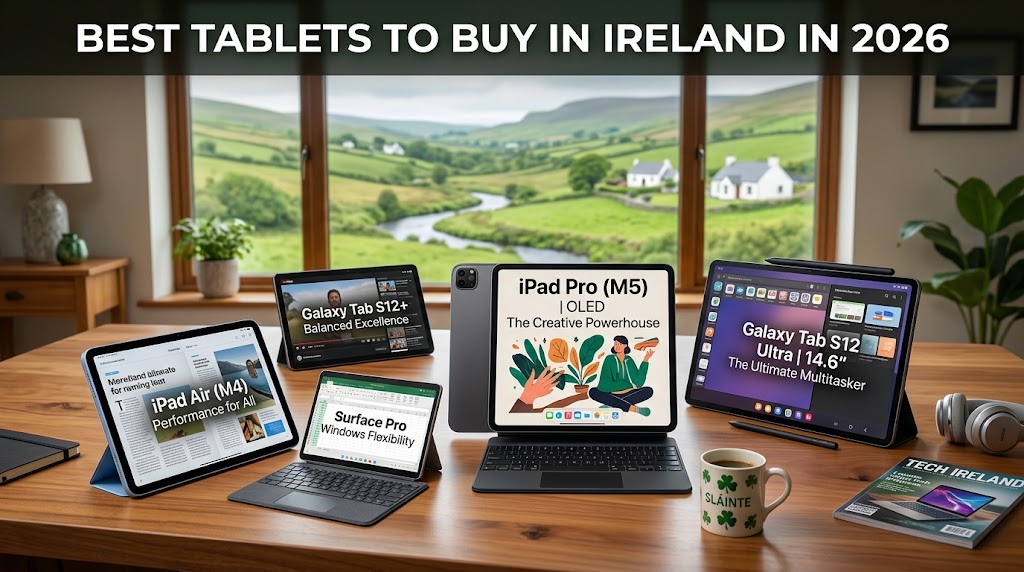
If you are still deciding which type of tablet suits your needs, our Best Tablets to Buy in Ireland in 2026 guide provides a broader look at tablet sizes, storage, student use, productivity, entertainment and refurbished options.
The purpose of this guide is not simply to declare one brand better than the other. Instead, we compare the important differences so you can choose the tablet that fits your devices, your apps and your everyday requirements.
Quick Answer
An iPad may be the better fit if you already use an iPhone or Mac, prefer Apple's ecosystem, want access to iPadOS and use Apple Pencil-compatible accessories.
A Samsung Galaxy Tab may be more suitable if you prefer Android, use Samsung Galaxy devices, want S Pen functionality or value expandable storage on compatible models.
For example, Apple's current 11-inch iPad with the A16 chip is available with 128GB, 256GB and 512GB storage and supports Apple Pencil. Samsung's Galaxy Tab S10 FE has a 10.9-inch display, S Pen support and microSD expansion up to 2TB. These specifications apply to the specific models mentioned, not every iPad or Galaxy Tab.
The best choice therefore depends on which model you are buying and how you plan to use it.
Key Takeaways
-
iPad and Samsung Galaxy Tab offer different operating systems and ecosystems.
-
iPad can be particularly convenient for existing iPhone and Mac users.
-
Galaxy Tab can be attractive for Android and Samsung Galaxy users.
-
Compatible iPads support Apple Pencil.
-
Compatible Galaxy Tabs support S Pen.
-
Selected Galaxy Tabs offer microSD expansion.
-
Apple's current 11-inch A16 iPad offers 128GB, 256GB and 512GB storage options.
-
Students should consider note-taking, accessories, portability and software.
-
Professionals should check app compatibility and keyboard support.
-
Entertainment users should compare display, speakers, battery and screen size.
-
Refurbished tablets can be considered when condition, warranty and returns are clearly explained.
-
The exact model matters more than simply choosing between Apple and Samsung.
iPad vs Samsung Galaxy Tab at a Glance

| Feature | iPad | Samsung Galaxy Tab |
|---|---|---|
| Operating system | iPadOS | Android with Samsung software |
| Ecosystem | Apple | Samsung / Android |
| Stylus | Apple Pencil on compatible models | S Pen on compatible models |
| Expandable storage | Generally not via microSD | Available on selected models |
| Storage approach | Choose internal capacity at purchase | Internal storage plus expandable storage on compatible models |
| Phone integration | Strong with iPhone | Strong with Galaxy phones |
| Productivity | Keyboard and productivity accessories available | Keyboard and multitasking features available |
| Best suited to | Apple ecosystem users and iPadOS users | Android/Galaxy users and people wanting Samsung features |
| Refurbished options | Available depending on stock | Available depending on stock |
What Is the Difference Between an iPad and Samsung Galaxy Tab?

The biggest difference is the software ecosystem.
An iPad runs Apple's iPadOS, while Samsung Galaxy Tabs use Android with Samsung's own interface and features. This affects everything from file management and multitasking to accessories and integration with other devices.
1. iPad and iPadOS
Apple's current 11-inch iPad uses the A16 chip and runs iPadOS 26. It has an 11-inch Liquid Retina display and supports Apple Pencil (USB-C) as well as Apple Pencil 1st generation with an adapter.
For someone already using an iPhone or Mac, this ecosystem can be an important part of the buying decision.
If you are also interested in Apple devices beyond tablets, you can compare the wider Apple ecosystem through our related Best iPhones to Buy in Ireland in 2026 guide.
2. Samsung Galaxy Tab and Android
Samsung Galaxy Tabs provide an Android-based experience with Samsung's One UI software and Galaxy ecosystem features.
The Galaxy Tab S10 FE, for example, has a 10.9-inch display, Exynos 1580 processor, S Pen support and microSD expansion up to 2TB.
This can make selected Galaxy Tabs particularly interesting to people who already use Samsung phones, Galaxy Buds or other Galaxy products.
For readers building a Samsung setup, our Best Samsung Phones to Buy in Ireland in 2026 guide can help when comparing compatible smartphones.
3. Ecosystem should be part of the decision
If you already own an iPhone, MacBook and AirPods, an iPad can fit naturally into your existing setup.
If you use a Samsung Galaxy smartphone and Galaxy accessories, a Galaxy Tab may provide a more familiar environment.
The ecosystem should not be the only deciding factor, but it is one of the most practical differences between the two platforms.
iPad vs Samsung Galaxy Tab: Display Comparison

Both brands offer tablets with good displays, but screen quality varies considerably by model.
It is therefore important to compare the exact iPad and Galaxy Tab rather than assuming that all tablets from one manufacturer have the same display technology.
1. iPad displays
The current 11-inch iPad uses a Liquid Retina display with 2360 × 1640 resolution, 264 pixels per inch, True Tone and up to 500 nits brightness.
This combination is suitable for browsing, documents, video, study and everyday tablet use.
Higher-end iPad models use different display technologies, so buyers interested in professional creative work should check the exact model.
2. Samsung Galaxy Tab displays
The Galaxy Tab S10 FE has a 10.9-inch display with 2304 × 1440 resolution and supports 90Hz visuals. Samsung also lists Vision Booster and high-brightness capabilities for the model.
Samsung's premium Galaxy Tab models can have different display specifications, so the model number matters.
3. Which is better for entertainment?
For Netflix, YouTube, browsing and general entertainment, both platforms offer capable options.
When comparing two specific models, look at:
-
Screen size
-
Resolution
-
Refresh rate
-
Brightness
-
Speaker quality
-
Weight
-
Battery performance
-
Aspect ratio
If entertainment is your main priority, a comfortable display and good speakers may matter more than having the most powerful processor.
iPad vs Samsung Galaxy Tab for Students

Students often use tablets for PDFs, online lectures, research, digital notes, presentations and entertainment.
Both ecosystems can support these tasks.
1. iPad for students
An iPad can be particularly convenient for students already using an iPhone or Mac.
Compatible Apple Pencil models can be used for handwriting, diagrams, annotations and digital notes. The current 11-inch A16 iPad officially supports Apple Pencil (USB-C) and Apple Pencil 1st generation with an adapter.
For students, storage should also be considered carefully.
A device used mainly for documents and notes may require less storage than one used for large video files, creative projects and offline media.
2. Samsung Galaxy Tab for students
Samsung Galaxy Tabs can be useful for students who prefer Android or Samsung devices.
The Galaxy Tab S10 FE supports S Pen input and microSD expansion, which can be useful for handwriting, annotations and storing additional files.
Samsung also lists applications such as Goodnotes, LumaFusion, Clip Studio Paint, Noteshelf 3, Sketchbook and Picsart for the Galaxy Tab S10 FE series.
3. What should students prioritise?
Before buying, consider:
-
Note-taking
-
Stylus compatibility
-
Keyboard support
-
Screen size
-
Weight
-
Battery
-
Storage
-
Wi-Fi or cellular connectivity
-
Required university apps
-
Compatibility with your existing laptop
If your main purpose is university work, spending more on raw performance may not be as useful as choosing the right storage, stylus and keyboard setup.
iPad vs Samsung Galaxy Tab for Work and Productivity

Tablets can handle many productivity tasks, although they do not replace every laptop workflow.
1. iPad for productivity
An iPad can be used for:
-
Email
-
Web browsing
-
Microsoft 365
-
Google Workspace
-
Video meetings
-
PDF annotation
-
Note-taking
-
Document review
-
Creative applications
A compatible keyboard can make longer typing sessions considerably easier.
2. Samsung Galaxy Tab for productivity
Galaxy Tabs can also support email, documents, web browsing, video calls and multitasking.
Samsung's software includes multitasking features that allow users to work with multiple applications.
A compatible keyboard can also make a Galaxy Tab more practical for longer writing sessions.
3. Which is better for office work?
The answer depends on your workflow.
If your work relies heavily on browser-based applications, Microsoft 365 and standard office tasks, either platform may work well.
If you require specialist desktop software that is unavailable or limited on tablets, a Windows or macOS laptop may remain the better device for that particular workload.
iPad vs Samsung Galaxy Tab for Note-Taking

Digital handwriting is one of the strongest reasons people buy tablets.
1. Apple Pencil
Apple Pencil compatibility varies by iPad model.
The current 11-inch A16 iPad supports Apple Pencil (USB-C) and Apple Pencil 1st generation with the required adapter.
This can be useful for:
-
Handwritten notes
-
PDF annotation
-
Diagrams
-
Study planning
-
Sketching
-
Digital documents
2. Samsung S Pen
Samsung's Galaxy Tab S10 FE supports S Pen functionality.
Samsung also promotes productivity and creative applications for the device, including Goodnotes and Sketchbook.
This makes compatible Galaxy Tabs relevant for students, artists and users who prefer handwriting on Android.
3. Which stylus system should you choose?
The better fit depends on the software and ecosystem you already use.
If your other devices are Apple products and you already use iPadOS applications, Apple Pencil may be the more natural fit.
If you use Galaxy smartphones and prefer Android, S Pen may fit your existing workflow better.
iPad vs Samsung Galaxy Tab for Gaming

Gaming performance depends heavily on the exact tablet model.
1. iPad gaming
The current iPad 11-inch uses Apple's A16 chip. Apple lists a 5-core CPU, 4-core GPU and 16-core Neural Engine for this model.
This provides substantial performance for many mainstream tablet activities, including supported games.
Higher-end iPads offer different hardware, so demanding gamers should compare the exact models.
2. Galaxy Tab gaming
Galaxy Tabs also support a wide range of Android games.
The Galaxy Tab S10 FE uses Samsung's Exynos 1580 processor and a 90Hz display, providing a hardware configuration designed for study, entertainment and gaming.
3. What should gamers check?
Before buying, compare:
-
Processor
-
GPU
-
RAM
-
Display refresh rate
-
Battery
-
Storage
-
Thermal behaviour
-
Game compatibility
A tablet should be chosen according to the games you actually play rather than benchmark numbers alone.
iPad vs Samsung Galaxy Tab: Storage Comparison

Storage is one area where the two ecosystems can differ significantly.
1. iPad storage
The current 11-inch A16 iPad is available with 128GB, 256GB and 512GB storage.
Because buyers generally cannot add a microSD card, it is important to choose sufficient internal storage when purchasing.
2. Samsung Galaxy Tab expandable storage
Selected Galaxy Tabs support microSD cards.
The Galaxy Tab S10 FE supports microSD expansion up to 2TB.
This can be useful for users storing:
-
Photos
-
Videos
-
Movies
-
Documents
-
Music
-
Creative projects
-
Educational files
3. How much storage do you need?
For light users, 128GB may be sufficient.
For students and everyday users, 128GB or 256GB may be suitable depending on usage.
For people who download large games, videos or creative files, more storage may be useful.
With an iPad, choosing the appropriate internal capacity is particularly important because you should not assume you can expand it later with a memory card.
iPad vs Samsung Galaxy Tab: Wi-Fi or Cellular?
Both Apple and Samsung offer Wi-Fi and cellular options across parts of their tablet ranges.
1. Wi-Fi tablet
A Wi-Fi model can be suitable if you mainly use your tablet:
-
At home
-
At university
-
In the office
-
In cafés
-
Anywhere with reliable Wi-Fi
2. Cellular tablet
A cellular model can be useful if you regularly need internet access away from Wi-Fi.
Samsung's Galaxy Tab S10 FE is available in 5G configurations, while cellular versions of compatible iPads are also available.
Remember that a cellular tablet may require a separate mobile data plan, so consider the ongoing cost as well as the hardware.
iPad vs Samsung Galaxy Tab: New or Refurbished?

For Irish buyers, the new-versus-refurbished decision can be just as important as the Apple-versus-Samsung decision.
If you are considering refurbished electronics for the first time, our Refurbished Phones in Ireland: What to Check Before You Buy guide explains the broader checks that also apply to tablets.
1. Refurbished iPad
A refurbished iPad can provide access to an earlier generation while potentially keeping the overall purchase within budget.
fonez4u2 has product listings for the Apple iPad 9th Generation Grade A and Apple iPad 9th Generation New. Availability can change, so the live product page should always be checked before purchase.
The Grade A listing is particularly relevant for buyers considering a refurbished Apple tablet because condition, warranty and product specifications are clearly important factors when assessing the device.
2. New iPad
fonez4u2 also has a product listing for the Apple iPad 11th Generation.
When buying a new tablet, compare the exact storage capacity, connectivity version, warranty and current availability rather than relying on a general model name.
3. Refurbished Galaxy Tab
If you are considering a refurbished Samsung tablet, check:
-
Exact model number
-
Storage
-
Screen condition
-
Touchscreen functionality
-
Battery behaviour
-
Charging
-
Wi-Fi and Bluetooth
-
Cameras
-
Speakers
-
Warranty
-
Return policy
A refurbished device should be evaluated on its actual condition and seller protections rather than simply being labelled “refurbished”.
iPad vs Samsung Galaxy Tab for Different Users

| User Type | iPad May Suit You If... | Galaxy Tab May Suit You If... |
|---|---|---|
| Student | You prefer iPadOS and Apple Pencil | You want S Pen and Android flexibility |
| iPhone user | You want an Apple ecosystem tablet | You prefer Android despite using iPhone |
| Samsung phone user | You are comfortable with another ecosystem | You want Galaxy integration |
| Artist | Your preferred apps work best for your workflow on iPadOS | You prefer S Pen and Android creative apps |
| Office user | You prefer Apple's productivity environment | You prefer Samsung multitasking |
| Entertainment user | You prefer the iPad experience | You prefer Samsung's Android environment |
| Storage-heavy user | You want large internal storage | You value microSD on compatible models |
| Note-taker | You prefer Apple Pencil | You prefer S Pen |
| Traveller | You want an Apple-based portable setup | You want Android flexibility |
This table is intended to help match documented features to different needs rather than to declare one platform universally superior.
What We Assess Before Recommending a Tablet
At fonez4u2, a useful tablet comparison should consider more than processor specifications.
1. Performance
We consider whether the processor and memory are appropriate for the intended workload.
A tablet used for browsing and notes does not necessarily require the same performance as one used for demanding creative applications.
2. Display
We consider:
-
Screen size
-
Resolution
-
Refresh rate
-
Display technology
-
Brightness
-
Viewing comfort
3. Storage
Internal storage should match your expected usage.
For Galaxy Tabs with microSD support, expandable storage can also be considered.
4. Software
The operating system and available applications are important because the best hardware is less useful if it does not support your preferred workflow.
5. Accessories
Students and professionals should consider whether they need:
-
Stylus
-
Keyboard
-
Case
-
Screen protector
-
Charging accessories
6. Refurbished condition
For refurbished devices, we look beyond the model name.
Condition, battery, screen, charging, functionality, warranty and returns all contribute to the practical value of a device.
Common Mistakes to Avoid

1. Comparing brands instead of models
An entry-level iPad should not automatically be compared with a premium Galaxy Tab.
Compare similar devices based on price range, hardware and intended use.
2. Ignoring your existing phone
Your smartphone ecosystem can affect how convenient a tablet feels in daily use.
3. Buying insufficient storage
Think about how many apps, games, videos, photos and documents you expect to keep locally.
4. Forgetting accessory costs
If you need a stylus and keyboard, include them in your total budget.
5. Assuming every iPad supports the same Apple Pencil
Apple Pencil compatibility differs by iPad model.
6. Assuming every Galaxy Tab supports microSD
Expandable storage varies by model, so always check the exact specification.
7. Ignoring refurbished-device checks
When buying refurbished, condition, warranty and return terms should be reviewed before purchase.
How to Choose the Right Tablet
Before buying, answer these questions:
-
Which phone do I use?
-
Do I use a Mac or Windows laptop?
-
Do I need a stylus?
-
Do I need a keyboard?
-
How much storage do I need?
-
Will I use cellular data?
-
Do I need microSD?
-
Which apps do I use most?
-
How long do I expect to keep the tablet?
-
Am I comfortable buying refurbished?
These questions can narrow down your options much more effectively than simply searching for the “best tablet”.
Frequently Asked Questions
1. Is an iPad better than a Samsung Galaxy Tab?
There is no universal answer. The better fit depends on your operating system preference, existing devices, applications, storage requirements and intended use.
2. Which is better for students, iPad or Galaxy Tab?
Both can be suitable. Compare stylus support, note-taking apps, keyboard options, storage and compatibility with your existing devices.
3. Is Samsung Galaxy Tab good for university?
Yes. Compatible Galaxy Tabs can be used for notes, PDFs, browsing, research, online classes and productivity.
4. Is iPad good for studying?
Yes. iPads can be used for digital notes, document annotation, research, reading and online learning.
5. Which is better for note-taking?
Both can be effective. iPads use compatible Apple Pencil models, while compatible Galaxy Tabs support S Pen.
6. Does the Galaxy Tab S10 FE support S Pen?
Yes. Samsung lists S Pen support for the Galaxy Tab S10 FE.
7. Does the current iPad support Apple Pencil?
The current 11-inch A16 iPad supports Apple Pencil USB-C and Apple Pencil 1st generation with an adapter.
8. Can Galaxy Tab storage be expanded?
Selected Galaxy Tabs support microSD. The Galaxy Tab S10 FE supports microSD expansion up to 2TB.
9. Can iPad storage be expanded?
iPad models generally use fixed internal storage, so choose the capacity carefully when purchasing.
10. Which is better for Netflix?
Both can work well. Compare the exact screen, speakers, battery and size of the models you are considering.
11. Which is better for gaming?
Gaming performance depends on the exact model. Compare processor, graphics performance, RAM, refresh rate, battery and game compatibility.
12. Is iPad good for work?
Yes. iPads can handle many office, communication, browsing and productivity tasks.
13. Is Galaxy Tab good for work?
Yes. Galaxy Tabs can support documents, email, browsing, meetings and multitasking.
14. Should I buy a Wi-Fi or cellular tablet?
Wi-Fi is usually suitable where reliable Wi-Fi is available. Cellular can be useful for regular use away from Wi-Fi.
15. Is a refurbished iPad worth considering?
It can be, provided you check the exact condition, battery, warranty and returns information.
16. Is a refurbished Galaxy Tab worth considering?
It can be. Check the exact model, screen, battery, charging, connectivity, warranty and return policy.
17. Which lasts longer, iPad or Samsung Galaxy Tab?
Longevity depends on the specific model, software support, battery condition, usage and maintenance rather than brand alone.
18. Is 128GB enough for a tablet?
It can be enough for light and moderate use, but users with large games, videos or creative files may need more storage.
19. Should I buy an iPad if I have an iPhone?
An iPad can integrate naturally with an Apple ecosystem, but your applications, storage and intended usage should still determine the model.
20. Should I buy a Galaxy Tab if I have a Samsung phone?
A Galaxy Tab can fit naturally into a Samsung ecosystem, particularly if you already use Galaxy accessories and services.
Final Thoughts
Choosing between an iPad and Samsung Galaxy Tab is ultimately about finding the right combination of hardware, software, accessories and ecosystem for your needs.
An iPad can be a natural choice for people already using Apple products and those who prefer iPadOS and Apple Pencil-compatible workflows.
A Galaxy Tab can be a practical option for Android and Samsung users, particularly where S Pen functionality, Samsung ecosystem features or expandable storage on compatible models are important.
Students should focus on note-taking, portability, storage and accessories. Professionals should check application compatibility and keyboard support. Entertainment users should compare displays, speakers and battery life.
If you are considering a refurbished tablet, look beyond the model name and check the condition, battery, storage, warranty and return terms.
The right tablet is not necessarily the one with the most impressive specification sheet. It is the one that works properly with your everyday needs, your existing devices and your budget.
Find the Right Tablet in Ireland

Looking for an iPad or Samsung Galaxy Tab in Ireland? Explore the available tablet options at fonez4u2 and compare the exact model, storage, connectivity, condition, accessories, warranty and returns information before ordering.
Whether you need a tablet for study, work, entertainment, note-taking or everyday use, make sure the device you choose matches the way you actually plan to use it.
For refurbished tablets, pay particular attention to battery condition, touchscreen functionality, charging, physical condition and software support.
Explore fonez4u2 tablet options and find a device that fits your everyday needs in Ireland.
About fonez4u2
fonez4u2 is operated by Fonez4u Limited, the Sim Free Specialist, providing customers in Ireland with SIM-free phones, tablets, accessories, device repair and phone unlocking services.
Address: 2 Eyre Square, Galway, H91 PT3F
Phone / WhatsApp: 085 1330999
Sources & Verification
Technical specifications in this article should be verified against the manufacturer's current documentation before publication because specifications, software and product availability can change.
Key technical sources include Apple's official iPad 11-inch specifications and Samsung Ireland's official Galaxy Tab S10 FE specifications.
Find the Right Tablet in Ireland
Still deciding between an iPad and Samsung Galaxy Tab? Explore the tablet options available at fonez4u2 and compare the details that matter most, including screen size, performance, storage, connectivity, condition and warranty.
Whether you need a tablet for study, work, entertainment, note-taking or everyday use, choose the model that matches your actual needs and budget. If you are considering a refurbished iPad, also check the device condition, battery performance, included accessories, warranty and returns policy before buying.
Explore fonez4u2 today and find the right tablet for your needs in Ireland.


Leave a comment
This site is protected by hCaptcha and the hCaptcha Privacy Policy and Terms of Service apply.