

Best Tablets to Buy in Ireland in 2026
Author: SHAH ZAIB
Reviewed by: fonez4u2 Technical Team | Refurbished Smartphone & Tablet Specialists
Last Updated: September 2026
Reading Time: 12–15 minutes
Choosing the best tablet to buy in Ireland in 2026 is not simply about finding the newest model or the biggest screen. The right tablet depends on how you plan to use it, which smartphone and computer ecosystem you already own, how much storage you need, whether you want a keyboard or stylus, and how long you expect to keep the device.
For some Irish buyers, an affordable iPad is enough for streaming, browsing, email, video calls and everyday apps. Students may prioritise note-taking, portability and battery life, while professionals may need a larger display, better multitasking and accessories. Creative users may care more about stylus support and display quality, while families may want a straightforward tablet for entertainment and education.
There is also the question of new versus refurbished. A previous-generation iPad or other tablet can still be useful when its condition, battery performance, software support and warranty are suitable. However, buyers should assess the complete package rather than choosing an older model simply because it is cheaper.
This guide explains the best tablets to buy in Ireland in 2026, what to look for before purchasing, how to choose the right screen size and storage, whether Wi-Fi or cellular makes more sense, when a tablet can replace a laptop, and what to check when buying a refurbished tablet.
Quick Answer: What Is the Best Tablet to Buy in Ireland?
There is no single tablet that is automatically the best choice for every Irish buyer.
The right option depends on your:
-
Budget
-
Smartphone ecosystem
-
Main use
-
Screen-size preference
-
Storage requirements
-
Keyboard requirements
-
Stylus requirements
-
Portability needs
-
Cellular requirements
-
Expected ownership period
| Buyer type | What to prioritise |
|---|---|
| Student | Battery life, portability, note-taking and storage |
| Everyday user | Display, battery, apps and value |
| iPhone user | iPad and Apple ecosystem compatibility |
| Android user | Android tablet compatibility and Google services |
| Creative user | Stylus support, display and performance |
| Remote worker | Keyboard support, multitasking and connectivity |
| Traveller | Lightweight design, battery and optional cellular |
| Family user | Easy setup, durability and entertainment features |
| Streaming user | Display, speakers and battery life |
| Budget buyer | Essential features and previous-generation models |
| Refurbished buyer | Battery, condition, software support and warranty |
For many people, a mid-range or previous-generation tablet can provide more practical value than the most expensive flagship.
The best approach is to decide what you will actually use before comparing specifications.
Key Takeaways
-
Decide what you will use the tablet for before choosing a model.
-
Check operating-system and ecosystem compatibility.
-
Choose screen size according to portability and productivity needs.
-
Consider storage carefully because tablets are often kept for several years.
-
Stylus support can be valuable for students, artists and note-taking.
-
A keyboard can make a tablet considerably more useful for productivity.
-
Wi-Fi is usually sufficient if you normally have access to a phone hotspot or reliable networks.
-
Cellular can be useful for frequent travellers and people who work away from Wi-Fi.
-
iPad remains an important option for Apple users.
-
Samsung Galaxy Tab models are worth considering for Android users who want a larger-screen mobile setup.
-
Previous-generation tablets can still make sense when their software support and battery condition are acceptable.
-
Refurbished tablets should be checked for battery performance, screen condition, charging, cameras, speakers and warranty.
-
Do not choose a tablet simply because it has the biggest display or fastest processor.
-
Match the tablet to your actual routine, budget and expected ownership period.
Why Buy a Tablet in Ireland in 2026?

A tablet occupies an interesting position between a smartphone and a laptop.
A smartphone is highly portable, but its smaller screen can make reading documents, watching long videos, editing photos or taking notes less comfortable.
A laptop provides more traditional productivity features, but it is generally heavier and less convenient for casual use.
A tablet can provide a middle ground.
1. Larger Screen for Everyday Tasks
A tablet can make activities such as:
-
Web browsing
-
Streaming
-
Reading
-
Video calls
-
Online learning
-
Email
-
Social media
-
Document viewing
-
Photo viewing
more comfortable than using a smartphone.
2. Useful for Students
Students can use tablets for:
-
Digital notes
-
PDFs
-
Research
-
Online lectures
-
Educational apps
-
Flashcards
-
Calendar management
-
Video calls
A compatible stylus can also make handwritten notes and diagrams more practical.
3. Useful for Entertainment
Tablets can be convenient for:
-
Netflix
-
YouTube
-
Music
-
Games
-
Reading
-
Social media
-
Browsing
A larger screen can make long-form entertainment more comfortable than a phone.
How to Choose the Right Tablet in Ireland

Before comparing specific models, think about the features that will have the biggest effect on your everyday experience.
1. Start With Your Ecosystem
Your existing devices should influence your decision.
If you already use an iPhone, MacBook, AirPods or Apple Watch, an iPad can integrate naturally into that wider Apple setup.
If you use Samsung Galaxy devices, a Galaxy Tab may provide a more familiar Android-based environment.
If you are buying a tablet as a standalone device, operating-system compatibility is still important because it determines which apps, services and accessories are available.
If you are also comparing Samsung smartphones, our Best Samsung Phones to Buy in Ireland in 2026 | Top Picks guide explains how different Galaxy ranges compare for everyday use, performance, cameras and value.
2. Think About Your Main Use
Ask yourself:
What will I actually do on this tablet?
If your main activities are:
-
YouTube
-
Netflix
-
Browsing
-
Email
-
Reading
you may not need a premium tablet.
If you want:
-
Digital art
-
Video editing
-
Multitasking
-
Professional documents
-
Heavy gaming
-
Advanced note-taking
then processor performance, RAM, storage and accessory support become more important.
3. Consider How Long You Want to Keep It
A tablet can remain useful for several years.
That makes software support, battery condition and storage particularly important.
Buying a slightly better-equipped tablet may make more sense if you intend to keep it for a long time.
Best Tablet Screen Sizes

Screen size affects both productivity and portability.
1. Around 8 Inches: Maximum Portability
Smaller tablets can be useful for:
-
Reading
-
Travel
-
Casual browsing
-
Gaming
-
Carrying in smaller bags
The trade-off is a smaller workspace.
2. Around 10–11 Inches: The All-Rounder
This is one of the most practical tablet sizes.
It provides enough screen space for:
-
Streaming
-
Browsing
-
Study
-
Note-taking
-
Video calls
-
Light productivity
while remaining reasonably portable.
The current standard iPad, for example, has an 11-inch-class display, while Samsung's Galaxy Tab S10 FE has a 10.9-inch display.
3. 12–13 Inches: Productivity and Entertainment
Larger tablets can be useful for:
-
Split-screen multitasking
-
Drawing
-
Editing
-
Documents
-
Watching films
-
Keyboard-based productivity
However, larger displays generally mean a less compact device.
Best Tablets for Students in Ireland

Students have different requirements from professional users.
A good student tablet should ideally provide:
-
Reliable battery life
-
Comfortable portability
-
Good display
-
Sufficient storage
-
Note-taking support
-
Keyboard compatibility
-
Reliable software
-
Easy access to educational apps
1. iPad for Students
The standard iPad can be a practical option for students who already use Apple devices.
The current iPad uses Apple's A16 chip and supports Apple Pencil options, making it suitable for note-taking, browsing, research and general productivity.
The important question is whether you need the extra performance and features of an iPad Air or iPad Pro.
For many students, the standard iPad can be enough.
2. Samsung Galaxy Tab for Students
Samsung's Galaxy Tab range provides another strong option for students, particularly those already using Android or Samsung Galaxy smartphones.
The Galaxy Tab S10 FE, for example, has a 10.9-inch display, S Pen support and microSD expansion, making it relevant to students who want a larger Android workspace and handwritten notes.
The model also supports a 90Hz display and Samsung's productivity features.
3. Refurbished Tablet for Students
A refurbished tablet can be attractive when the buyer wants to control costs.
However, students should check:
-
Battery performance
-
Screen condition
-
Charging
-
Wi-Fi
-
Cameras
-
Speakers
-
Buttons
-
Touchscreen
-
Software compatibility
-
Storage
-
Warranty
A cheaper tablet is not necessarily better value if its battery or screen condition is poor.
Best Tablets for Work and Productivity

A tablet can handle a surprising amount of everyday work, but the right accessories become important.
1. Keyboard Support
If you regularly write:
-
Emails
-
Reports
-
Documents
-
Assignments
-
Spreadsheets
-
Blog posts
a physical keyboard can make a significant difference.
Before buying, check which keyboards are compatible with the exact tablet generation.
2. Multitasking
Productivity users should consider:
-
Split-screen functionality
-
App switching
-
RAM
-
Processor performance
-
Display size
-
External keyboard support
-
Cloud-storage compatibility
A larger tablet can be more comfortable for multitasking, especially when documents and reference material need to be viewed together.
3. Can a Tablet Replace a Laptop?
Sometimes, but not for everyone.
A tablet may replace a laptop for users whose work mainly involves:
-
Web browsing
-
Email
-
Documents
-
Video calls
-
Online services
-
Social media
-
Streaming
-
Basic content creation
A traditional laptop may still be more suitable for:
-
Advanced desktop software
-
Complex spreadsheets
-
Professional development environments
-
Extensive file management
-
Specialist business applications
Think of a tablet as a productivity device rather than automatically assuming it is a complete laptop replacement.
Best Tablets for Note-Taking and Digital Writing
Stylus support can change how useful a tablet is for education and creative work.
1. Students
A compatible stylus can be useful for:
-
Handwritten notes
-
Diagrams
-
Mathematical work
-
Highlighting PDFs
-
Annotating documents
-
Sketching ideas
2. Creative Users
Artists and designers may want:
-
Pressure-sensitive stylus support
-
Low-latency writing
-
High-quality display
-
Strong processor performance
-
Large storage
The right stylus is just as important as the tablet itself.
For Apple users, the available Apple Pencil model should always be checked against the exact iPad generation.
fonez4u2 also lists an Apple Pencil Pro USB-C accessory, although buyers should verify compatibility with their specific iPad before purchasing.
Best Tablets for Entertainment and Streaming

If your tablet is mainly for entertainment, you do not necessarily need flagship performance.
Prioritise:
-
Display quality
-
Screen size
-
Speakers
-
Battery life
-
Comfortable weight
-
App availability
-
Storage
1. Display Quality
A good display can make a major difference when watching films or reading.
Look at:
-
Resolution
-
Brightness
-
Colour reproduction
-
Viewing angles
-
Refresh rate
2. Audio
Good speakers can make a tablet much more enjoyable for streaming.
However, headphones or wireless earbuds may still be preferable when travelling or using a tablet around other people.
If you are comparing wireless audio accessories, our Best Wireless Earbuds to Buy in Ireland in 2026 guide explains how to compare battery life, comfort, ANC, microphone performance and ecosystem compatibility.
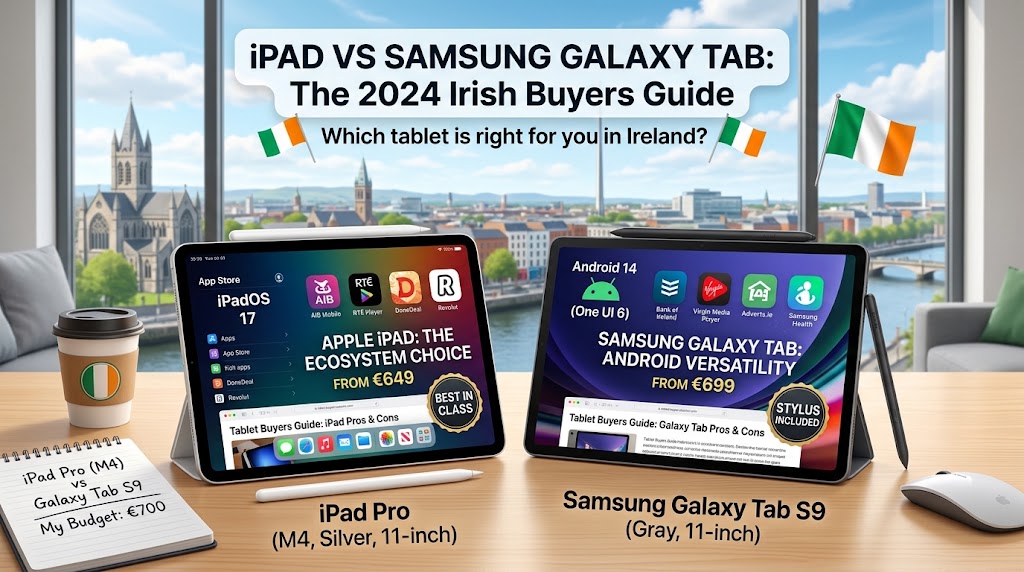
iPad vs Samsung Galaxy Tab: Which Should You Choose?

There is no universal answer.
Your existing technology ecosystem is one of the most important factors.
| Factor | iPad | Samsung Galaxy Tab |
|---|---|---|
| Operating system | iPadOS | Android |
| Best ecosystem match | Apple devices | Android/Samsung devices |
| Stylus options | Apple Pencil, model dependent | S Pen, model dependent |
| Storage approach | Model dependent | Model dependent |
| microSD | Model dependent | Available on selected models |
| App ecosystem | iPadOS App Store | Google Play |
| Keyboard options | Model dependent | Model dependent |
| Cellular options | Selected models | Selected models |
| Best starting point | Existing Apple users | Existing Android/Samsung users |
The best choice should be based on the apps and devices you already use.
An iPhone owner may value iPad integration, while a Samsung Galaxy owner may prefer Galaxy Tab features.
Apple iPad Options to Consider in Ireland

Apple's current iPad range includes several distinct product categories, so buyers should avoid assuming that every iPad is designed for the same audience.
1. Standard iPad
The current 11-inch-class iPad uses the A16 chip and supports Apple Pencil options.
It is a practical choice for:
-
Students
-
Browsing
-
Streaming
-
Video calls
-
Everyday apps
-
General productivity
fonez4u2 has an Apple iPad 11th Generation listing, although stock and configuration should always be checked before ordering.
2. iPad mini
The iPad mini is designed for portability.
Its smaller display can be useful for:
-
Reading
-
Travel
-
Casual browsing
-
Gaming
-
Note-taking on the move
It is less suited to users who want a large workspace.
3. iPad Air
The iPad Air sits between the standard iPad and iPad Pro range.
It can be relevant to users who want:
-
More performance
-
Creative applications
-
Productivity
-
Stylus use
-
A more premium experience
without necessarily moving to the highest-end iPad Pro.
4. iPad Pro
iPad Pro is aimed at demanding users who want advanced performance and premium hardware.
It can make sense for:
-
Professional creatives
-
Advanced video work
-
Illustration
-
Heavy multitasking
-
High-end productivity
For casual users, however, its additional capabilities may not justify the extra cost.
Refurbished iPads: Are They Worth Buying?

Refurbished iPads can provide an alternative to buying a brand-new tablet.
The key is to assess the actual device rather than focusing only on the model name.
1. Check Battery Performance
Battery age matters because tablets often have large batteries and are used for long periods.
Ask whether the battery has been tested and whether the seller provides any information about its condition.
2. Inspect the Display
Check for:
-
Cracks
-
Dead pixels
-
Brightness issues
-
Touchscreen problems
-
Scratches
-
Discolouration
The touchscreen is one of the most important components of a tablet.
3. Check Charging
Test:
-
Charging port
-
Charging connection
-
Cable compatibility
-
Charging stability
A tablet that struggles to charge can quickly become inconvenient.
4. Check Software Support
An older iPad or Android tablet should not be purchased solely because it is inexpensive.
Check whether the model still receives the operating-system and security updates you need.
For broader refurbishment advice, our Refurbished Phones in Ireland: What to Check Before You Buy guide explains why battery, condition, testing, warranty and seller transparency matter when buying refurbished technology.
Best Tablet Storage: How Much Do You Need?
Storage is easy to underestimate.
1. 64GB
May be sufficient for:
-
Browsing
-
Streaming
-
Light apps
-
Reading
But storage can become restrictive if you download lots of:
-
Videos
-
Games
-
Photos
-
Documents
2. 128GB
For many users, 128GB is a more comfortable starting point.
It can provide additional room for:
-
Apps
-
Photos
-
Offline videos
-
Documents
-
Games
3. 256GB or More
Consider higher storage if you:
-
Edit video
-
Store large photo libraries
-
Download lots of games
-
Keep many offline files
-
Plan to use the tablet for several years
Remember that actual usable storage is lower than the advertised capacity because the operating system and system files occupy some space.
Wi-Fi vs Cellular Tablet: Which Is Better?
1. Wi-Fi Tablet
Wi-Fi is suitable for people who normally use their tablet:
-
At home
-
At university
-
At work
-
In cafés
-
In libraries
-
Around reliable Wi-Fi
You can also use a smartphone hotspot when necessary.
2. Cellular Tablet
A cellular model can be useful if you:
-
Travel frequently
-
Work away from Wi-Fi
-
Commute regularly
-
Need independent mobile connectivity
However, cellular hardware can increase the purchase cost and may require a compatible mobile-data plan.
If you already carry a smartphone everywhere, Wi-Fi may be enough for your needs.
Best Tablets for Different Types of Buyers

| Buyer type | Tablet features to prioritise |
|---|---|
| Student | Portability, battery, stylus and storage |
| Everyday user | Display, battery and value |
| Remote worker | Keyboard, multitasking and connectivity |
| Artist | Stylus, display and performance |
| Traveller | Lightweight design and battery |
| Streaming user | Display, speakers and battery |
| Gamer | Processor, display and storage |
| Family | Durability, simple setup and value |
| iPhone owner | iPad ecosystem integration |
| Samsung user | Galaxy Tab ecosystem |
| Budget buyer | Previous-generation or refurbished models |
| Professional creative | Performance, display and stylus |
Common Tablet Buying Mistakes to Avoid

1. Buying the Biggest Screen
A larger display can be useful, but it can also make a tablet heavier and less portable.
2. Buying Too Little Storage
Storage requirements can increase over several years.
3. Ignoring Accessories
A tablet may appear affordable until you add:
-
Keyboard
-
Stylus
-
Case
-
Charger
-
Screen protection
Calculate the complete setup.
4. Assuming Every Stylus Works
Stylus compatibility varies by tablet model.
Always check the exact generation.
5. Buying Cellular Without Needing It
If you almost always use Wi-Fi, cellular connectivity may not provide enough additional value to justify the extra cost.
6. Buying Refurbished Without Checking the Battery
Cosmetic condition does not tell you everything about a tablet's health.
7. Choosing a Tablet Instead of a Laptop Without Checking Software
A tablet can be highly capable, but certain professional applications still require a traditional computer.
8. Buying Based Only on Processor Specifications
Performance matters, but display quality, battery, storage, software and accessories can be equally important.
How We Assess Tablets at fonez4u2

At fonez4u2, tablet buying decisions should be based on practical everyday use rather than specifications alone.
Our assessment approach considers:
-
Display quality
-
Screen size
-
Processor performance
-
Battery condition
-
Battery life
-
Storage
-
Operating system
-
Software support
-
Stylus compatibility
-
Keyboard support
-
Wi-Fi and cellular connectivity
-
Camera quality
-
Speakers
-
Charging
-
Physical condition
-
Refurbishment quality
-
Warranty
-
Returns
For refurbished tablets, battery performance and functional testing become particularly important.
The aim is to help Irish buyers understand what they are actually getting and whether a particular tablet fits their needs.
A more expensive tablet is not automatically better value if the buyer will never use its advanced features.
Tablet Accessories You May Need
A tablet purchase does not always end with the tablet itself.
1. Case
A case can help protect the device from everyday scratches and accidental impacts.
2. Screen Protector
A screen protector can provide an additional layer of protection against scratches.
3. Stylus
A stylus is useful for:
-
Notes
-
Drawing
-
Marking PDFs
-
Creative work
4. Keyboard
A keyboard can make a tablet more suitable for:
-
Writing
-
Email
-
Documents
-
Blogging
-
Study
5. Earbuds
Wireless earbuds can be useful for:
-
Online lectures
-
Video calls
-
Music
-
Streaming
-
Travel
Our Samsung Galaxy Buds Buying Guide: Which Model Is Right for You? can help if you are comparing Samsung wireless earbuds.
New vs Refurbished Tablet: Which Should You Buy?

| Factor | New tablet | Refurbished tablet |
|---|---|---|
| Physical condition | Brand new | Depends on grading |
| Battery | New | Should be checked |
| Price | Usually higher | Can be lower |
| Previous-generation models | Limited | More options |
| Warranty | Manufacturer/seller dependent | Seller dependent |
| Risk | Generally lower | Depends heavily on seller |
| Value potential | Depends on model | Can be strong if condition is good |
A refurbished tablet can make sense when the buyer wants a previous-generation device with stronger specifications than a similarly priced entry-level new tablet.
However, the seller's refurbishment standards matter.
Check:
-
Battery
-
Display
-
Touchscreen
-
Cameras
-
Speakers
-
Charging
-
Wi-Fi
-
Buttons
-
Software
-
Warranty
-
Returns
For more general guidance on refurbished technology, the Are Refurbished Phones Worth Buying in Ireland? 2026 Guide is also useful when considering the wider advantages and limitations of refurbished devices.
Student Tablet Buying Checklist

Before buying a tablet, ask:
-
What will I mainly use it for?
-
Is the operating system compatible with my existing devices?
-
What screen size do I actually need?
-
How much storage do I need?
-
Do I need a stylus?
-
Do I need a keyboard?
-
Do I need cellular connectivity?
-
How important is battery life?
-
Will I carry the tablet every day?
-
Do I need advanced performance?
-
Which apps do I need?
-
How long do I plan to keep it?
-
Does the model still receive software updates?
-
Would a previous-generation model be sufficient?
-
Would refurbished be suitable?
-
Has the refurbished battery been checked?
-
Is the touchscreen fully functional?
-
What accessories are included?
-
What warranty is provided?
-
What is the return policy?
This checklist helps prevent buyers from choosing a tablet based purely on marketing specifications.
Frequently Asked Questions
1. What is the best tablet to buy in Ireland in 2026?
There is no single tablet that is best for everyone. The right choice depends on your budget, operating-system preference, screen size, storage, accessories and intended use.
2. Is an iPad still worth buying in 2026?
Yes. The current iPad range covers everyday users through to professional creative users. The standard iPad can be suitable for browsing, streaming, study and general productivity, while Air and Pro models target more demanding users.
3. Is Samsung Galaxy Tab good for students?
A compatible Galaxy Tab can be useful for students because selected models support features such as S Pen input, large displays, multitasking and expandable storage.
4. Should I buy an iPad or Samsung Galaxy Tab?
Your existing ecosystem should be an important consideration. iPhone users may prefer iPad, while Android and Samsung users may prefer Galaxy Tab.
5. How much tablet storage do I need?
For many everyday users, 128GB can provide a comfortable starting point. Users who store large games, videos, photos or creative projects may benefit from 256GB or more.
6. Is 64GB enough for a tablet?
It can be enough for light users who mainly stream content and use cloud storage, but it can become restrictive if you install many apps or store large offline files.
7. Is an 11-inch tablet a good size?
An 11-inch-class tablet can provide a useful balance between screen space and portability, making it suitable for study, entertainment and general productivity.
8. Do I need a tablet with cellular connectivity?
Not necessarily. Wi-Fi is sufficient for many users who mainly use their tablet at home, work, university or other locations with reliable internet access.
9. Is a tablet good for university students?
Yes. Tablets can be useful for notes, PDFs, research, online lectures, video calls, educational apps and document reading.
10. Can a tablet replace a laptop?
It can replace a laptop for some users, particularly those whose work involves browsing, documents, email, video calls and cloud-based services. Specialist desktop software may still require a laptop or desktop computer.
11. Is a stylus worth buying for a tablet?
A stylus can be very useful for handwritten notes, drawing, PDF annotation and creative work. Its value depends on your intended use.
12. Are refurbished tablets worth buying?
They can be, particularly when the tablet has been properly tested and the seller clearly explains its condition, battery performance, warranty and returns.
13. What should I check when buying a refurbished tablet?
Check the battery, screen, touchscreen, charging port, cameras, speakers, Wi-Fi, buttons, storage, software support, accessories, warranty and returns.
14. Are older iPads still worth buying?
Some older iPads can remain useful, but buyers should check current software support, battery condition, storage and compatibility before purchasing.
15. Is the iPad mini good for students?
The iPad mini can be useful for students who prioritise portability and reading. Its smaller screen may be less suitable for users who frequently work with large documents or split-screen applications.
16. Is an iPad Air better than a standard iPad?
It depends on your requirements. iPad Air models target users who want more performance and advanced capabilities, while the standard iPad can be sufficient for everyday use.
17. Is Samsung Galaxy Tab better than iPad?
There is no universal answer. The choice depends on your operating-system preference, existing devices, apps, stylus requirements, storage and workflow.
18. Do I need a keyboard for my tablet?
Not necessarily. A keyboard is useful if you regularly write documents, emails, assignments or other longer-form content.
19. Should I buy a tablet with more storage than I currently need?
Some additional storage can be sensible if you plan to keep the tablet for several years. However, paying for large storage capacity only makes sense if you will actually use it.
20. Where should I buy a tablet in Ireland?
Choose a seller that provides clear information about the exact model, storage, condition, warranty and returns. For refurbished tablets, transparency around testing and battery condition is particularly important.
Final Thoughts
The best tablets to buy in Ireland in 2026 are not necessarily the newest or most expensive devices.
The right tablet depends on how you plan to use it.
For students and everyday users, an 11-inch-class tablet can provide a practical balance between portability and screen space. Apple users may naturally gravitate towards iPad because of the wider Apple ecosystem, while Android and Samsung users may prefer Galaxy Tab models.
The current standard iPad uses Apple's A16 chip and supports Apple Pencil options, while Samsung's Galaxy Tab S10 FE provides a 10.9-inch display, S Pen support and microSD expansion. These examples show why comparing the complete feature set is more useful than comparing model names alone.
Refurbished tablets can also provide an alternative for buyers who want to control their spending. However, condition, battery performance, touchscreen functionality, charging, software support, warranty and returns should all be checked before purchase.
The smartest approach is simple:
Start with your needs, choose the right operating system and screen size, calculate the complete accessory cost, and then compare new and refurbished options.
Ready to Find the Right Tablet for You?
Whether you need a tablet for university, work, streaming, digital notes, creative projects, travel or everyday browsing, fonez4u2 can help you compare the features that actually matter before you buy.
Explore suitable iPad options and consider factors such as screen size, storage, battery performance, condition, stylus compatibility, connectivity and long-term usability.
For buyers considering refurbished technology, always check the battery condition, physical condition, touchscreen, charging, software support, warranty and returns policy before making a purchase.
If you are also building a wider Apple or Samsung setup, you can compare your tablet choice with your existing smartphone and accessories to make sure everything fits your everyday workflow.
Choose the tablet that matches the way you actually use technology—not simply the one with the longest specification list.
About fonez4u2
fonez4u2 is part of Fonez4u Limited – The Sim Free Specialist, serving customers in Ireland with SIM-free phones, tablets, phone accessories, device repair and phone unlocking services.
Business: Fonez4u Limited – The Sim Free Specialist
Address: 2 Eyre Square, Galway, H91 PT3F
Phone / WhatsApp: 085 1330999
fonez4u2 focuses on helping Irish shoppers make informed technology purchases through clear product information, refurbished-device guidance and practical buying advice.
Sources & Verification
Technical information in this guide should be checked against the manufacturer's latest specifications for the exact model and configuration before purchase.
Apple's current Ireland information confirms that its iPad range includes the iPad with A16, iPad mini with A17 Pro, iPad Air and iPad Pro models. Apple's Ireland specifications also confirm that the 11-inch iPad (A16) has an 11-inch-class Liquid Retina display, USB-C connectivity and support for Apple Pencil options.
Samsung's Ireland information confirms that the Galaxy Tab S10 FE has a 10.9-inch display, S Pen support, 90Hz visuals, Exynos 1580 processing and microSD expansion, with selected configurations offering additional connectivity options.
Tablet availability, stock, storage configurations, accessories and software features can change. Always verify the exact product listing and manufacturer's current documentation before purchasing.
Find the Right Tablet in Ireland
Looking for the best tablet to buy in Ireland in 2026? Explore the available tablet options at fonez4u2 and compare the features that matter most to you, including screen size, storage, performance, connectivity and overall condition.
Whether you need a tablet for study, work, entertainment, note-taking or everyday use, take the time to check the exact model, storage capacity, accessories, warranty and returns information before ordering.
For refurbished tablets, pay particular attention to battery condition, touchscreen functionality, charging, physical condition and software support so you can choose a device that suits your needs and expected usage.
Explore fonez4u2 tablet options today and find a tablet that fits your everyday needs in Ireland.


Leave a comment
This site is protected by hCaptcha and the hCaptcha Privacy Policy and Terms of Service apply.